In e-commerce, businesses sometimes need to ensure that customers purchase products with a minimum total weight to maintain profitability or meet shipping requirements. The Minimum Weight Requirement rule is an effective tool that allows businesses to set a threshold weight that a cart must meet in order to proceed to checkout.
Why the Minimum Weight Requirement Matters
The Minimum Weight Requirement rule offers several key advantages for online stores:
Shipping Cost Management: For businesses that offer free shipping or have a shipping threshold, this rule ensures that the order meets the required weight for a reasonable shipping rate.
Meeting Product Weight Policies: Some e-commerce stores may sell products with specific weight requirements, such as bulk items, perishable goods, or subscription services. The rule ensures that customers don’t proceed with orders that don't meet these requirements.
How the Minimum Weight Requirement Rule Works
The Minimum Weight Requirement rule checks the total weight of the items in a customer's cart before they proceed to checkout. If the total weight of the cart is less than the specified minimum weight, an error message is triggered, informing the customer to add more items to meet the weight threshold.
For example, if the rule is set to 0.1 kg (100 grams), and the customer has items weighing less than this threshold, the checkout process will be halted until the customer adds more items to meet the minimum weight.
The weight can be automatically converted between various units (kg, grams, lbs, oz) to simplify the process for both businesses and customers.
Key Features
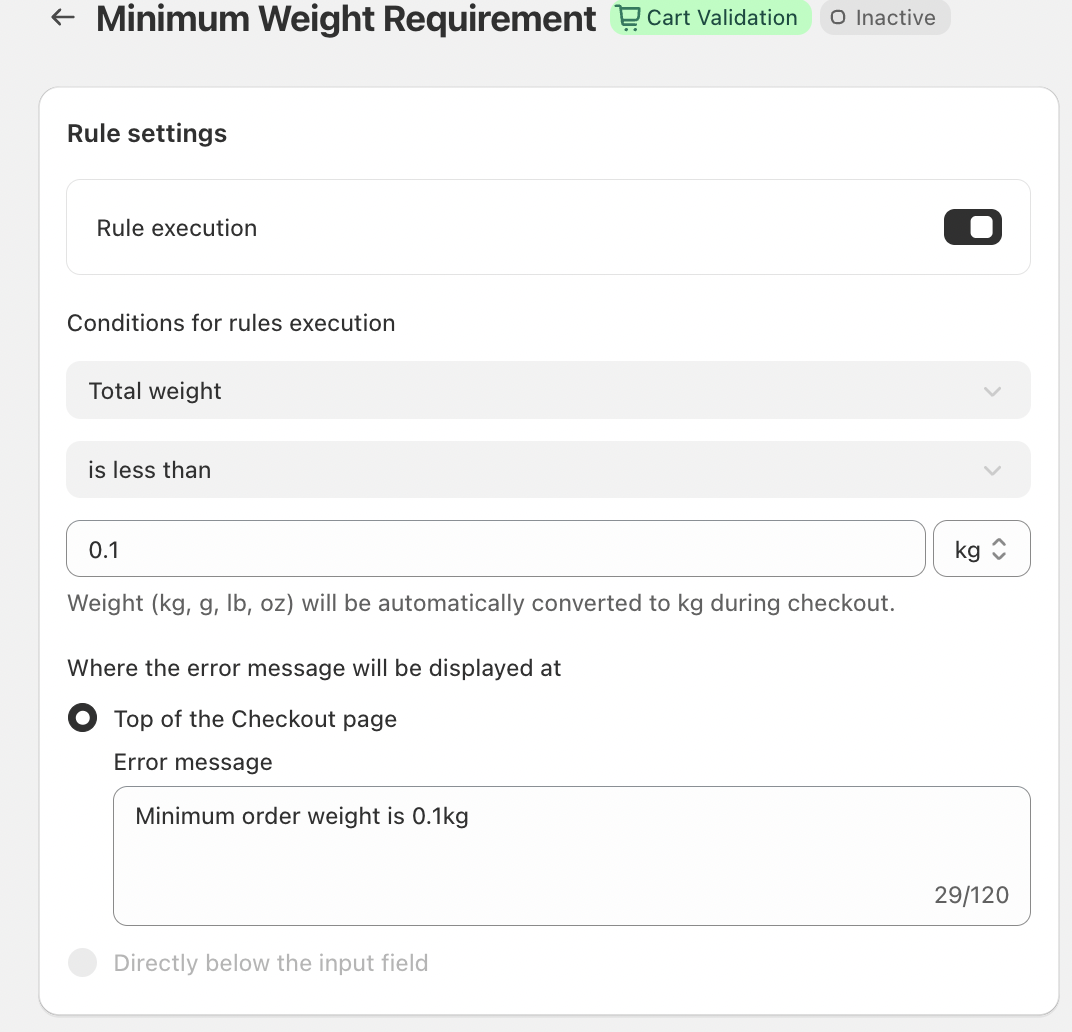
Automatic Rule Execution
Once the Minimum Weight Requirement rule is enabled, it automatically executes during checkout without the need for manual intervention. This ensures consistency and accuracy in cart validation.
Weight Validation
The system calculates the total weight of the cart. If the cart doesn’t meet the required weight, the system will prevent the customer from proceeding, ensuring that only eligible orders are processed.
Inline Error Messaging
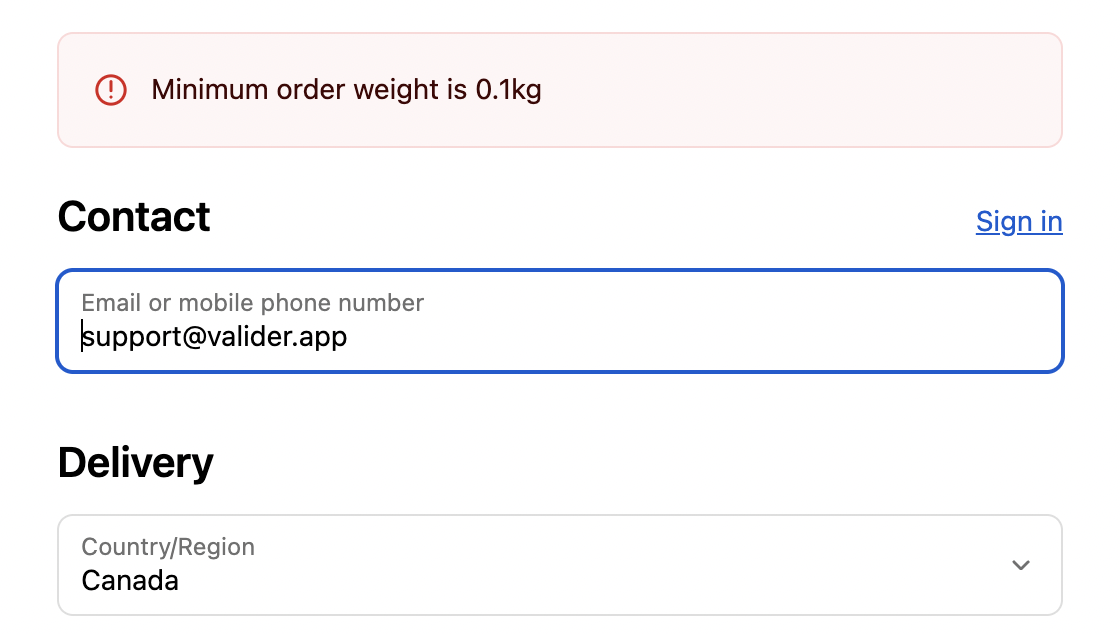
The error message is clearly displayed at the top of the checkout page, making it easy for customers to understand the issue. It provides instant feedback, allowing them to correct the problem immediately and continue shopping.
Customizable Error Messaging
The error message shown to the customer can be customized to reflect the business’s tone and voice. For example, a friendly message like:
“Minimum order weight is 0.1kg”
clearly communicates the issue, without being harsh or impersonal.
Example of How It Works
Let’s say you have set the minimum weight for orders at 0.1 kg. If a customer attempts to check out with only 0.05 kg in their cart, they will see an error message that reads:
“Minimum order weight is 0.1kg.”
This message makes it clear to the customer that they need to add more weight to their cart to proceed with their order.
Conclusion
The Minimum Weight Requirement rule is an essential tool for businesses looking to manage shipping policies, reduce unprofitable orders, and ensure that customer transactions meet set weight standards. By providing clear and actionable feedback through automated error messages, this rule helps streamline the checkout process and improves the overall customer experience.
This simple yet effective cart validation tool ensures that businesses can manage their weight-based order requirements with ease, while customers are guided smoothly through the checkout process.
If you have any questions or need further assistance, feel free to reach out to support@valider.app
Was this article helpful?
That’s Great!
Thank you for your feedback
Sorry! We couldn't be helpful
Thank you for your feedback
Feedback sent
We appreciate your effort and will try to fix the article