In e-commerce, businesses often need to set a minimum order amount to ensure profitability and efficient order processing. The Subtotal Below Minimum rule is an essential tool for enforcing this requirement, ensuring that customers do not proceed with checkout unless their cart subtotal meets a minimum threshold.
Why the Subtotal Below Minimum Rule Matters
Requiring a minimum subtotal can help businesses in several important ways:
Increasing order value: By enforcing a minimum, businesses can encourage customers to add more items, thereby increasing the total order value.
Improved profitability: Low-value orders may not justify the shipping or handling costs. This rule ensures that only orders above a certain value are processed, thus protecting profit margins.
Preventing unprofitable sales: In some cases, smaller orders may result in losses, especially when accounting for the fixed costs involved in processing and shipping. The Subtotal Below Minimum rule addresses this concern by ensuring that only orders above the set threshold proceed.
How Subtotal Below Minimum Rule Works
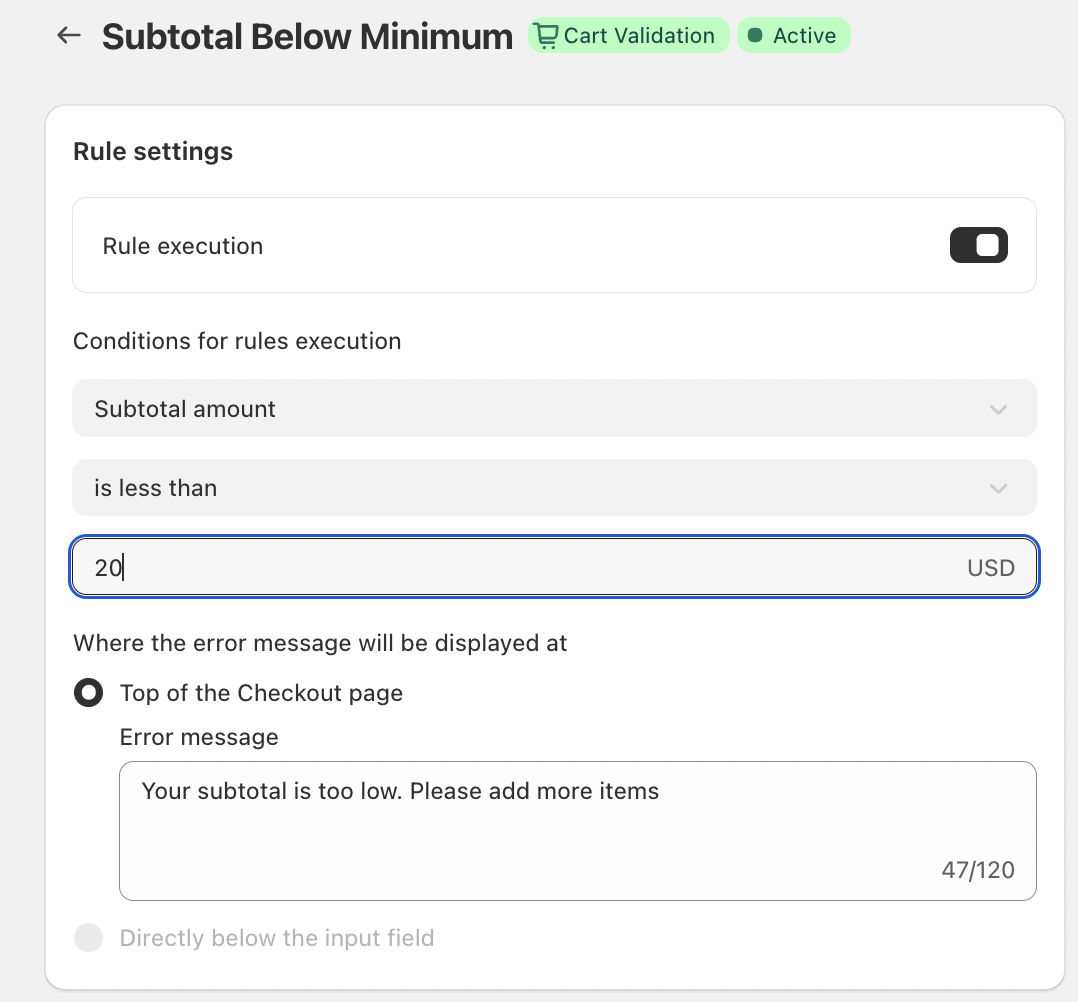
The Subtotal Below Minimum rule functions by validating the cart total during checkout. The rule is set to trigger an error message when the subtotal is lower than the required amount. For example, if your rule specifies that the subtotal must exceed $20 USD, the system will check the cart total during checkout. If the subtotal is less than $20, the system will prompt the customer with an error message.
The process is automated and seamless, ensuring that customers are aware of the issue before they attempt to complete the purchase.
Key Features
Automatic Rule Execution
The Subtotal Below Minimum rule is automatically triggered based on the set conditions. Once configured, there’s no need for manual monitoring – the system does the work for you.
Inline Error Messaging
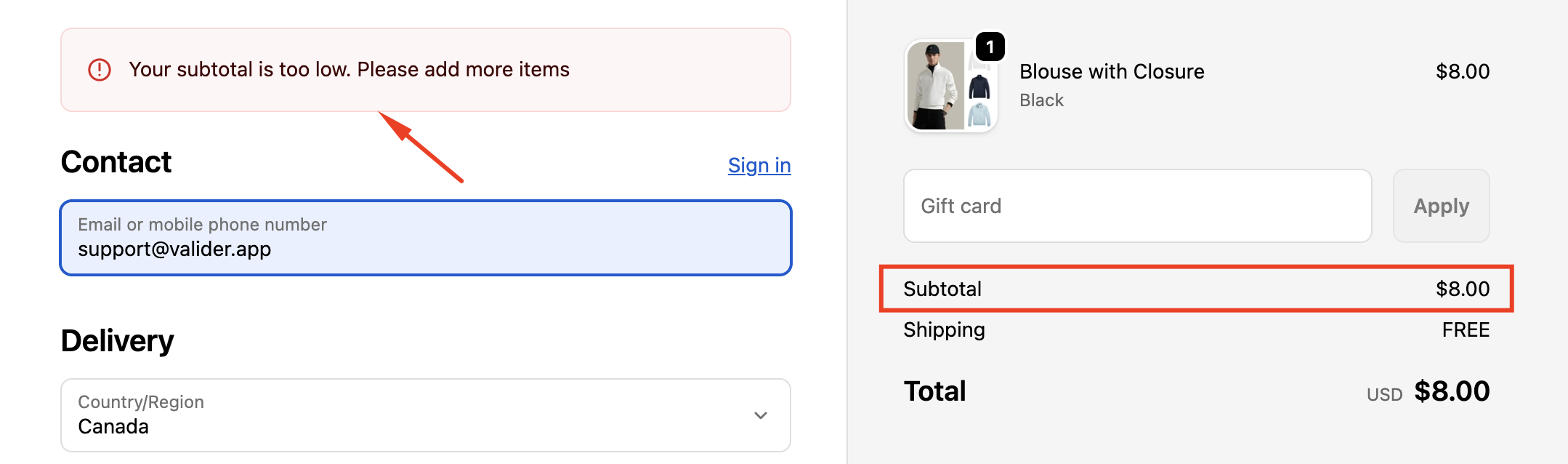
The error message can be displayed either at the top of the checkout page, providing customers with clear guidance on what needs to be corrected. This messaging can help minimize confusion and frustration during the checkout process.
Customizable Error Messaging
The error message can be tailored to fit your store's tone and style. A message like:
“Your subtotal is too low. Please add more items”
can be displayed, making it clear and friendly while also offering actionable advice for customers.
Example of How It Works
For instance, if your business sets the minimum subtotal to $20 USD, a customer with a subtotal of $18 would see the error message:
“Your subtotal is too low. Please add more items.”
This message clearly communicates what the issue is and encourages the customer to add more items to their cart before proceeding to checkout.
Conclusion
The Subtotal Below Minimum rule is an essential tool for businesses aiming to streamline their checkout process, enforce minimum order requirements, and increase profitability. By automatically triggering a helpful error message when the cart subtotal is insufficient, the rule helps reduce order cancellations and ensures that only profitable transactions are processed.
If you have any questions or need further assistance, feel free to reach out to support@valider.app
Was this article helpful?
That’s Great!
Thank you for your feedback
Sorry! We couldn't be helpful
Thank you for your feedback
Feedback sent
We appreciate your effort and will try to fix the article