In many online stores, accepting very small orders can lead to higher operational costs, lower profit margins, and inefficiencies in fulfillment. To address this, the Minimum Order Value Restriction rule ensures that customers cannot proceed to checkout unless their cart meets a predefined minimum order amount.
This rule helps businesses maintain profitability while setting clear expectations for customers during the purchasing process.
Why Minimum Order Value Matters
Allowing orders below a certain value can create several challenges for businesses, such as:
Increased fulfillment costs: Packaging, shipping, and processing fees often outweigh the profit from low-value orders.
Operational inefficiencies: Handling many small orders can slow down fulfillment workflows and strain resources.
Reduced profitability: Low cart values can negatively impact overall revenue and margins.
By enforcing a minimum order value, businesses can optimize order handling and focus on more sustainable transactions.
How Minimum Order Value Restriction Works
The Minimum Order Value Restriction rule continuously checks the total cart amount during checkout.
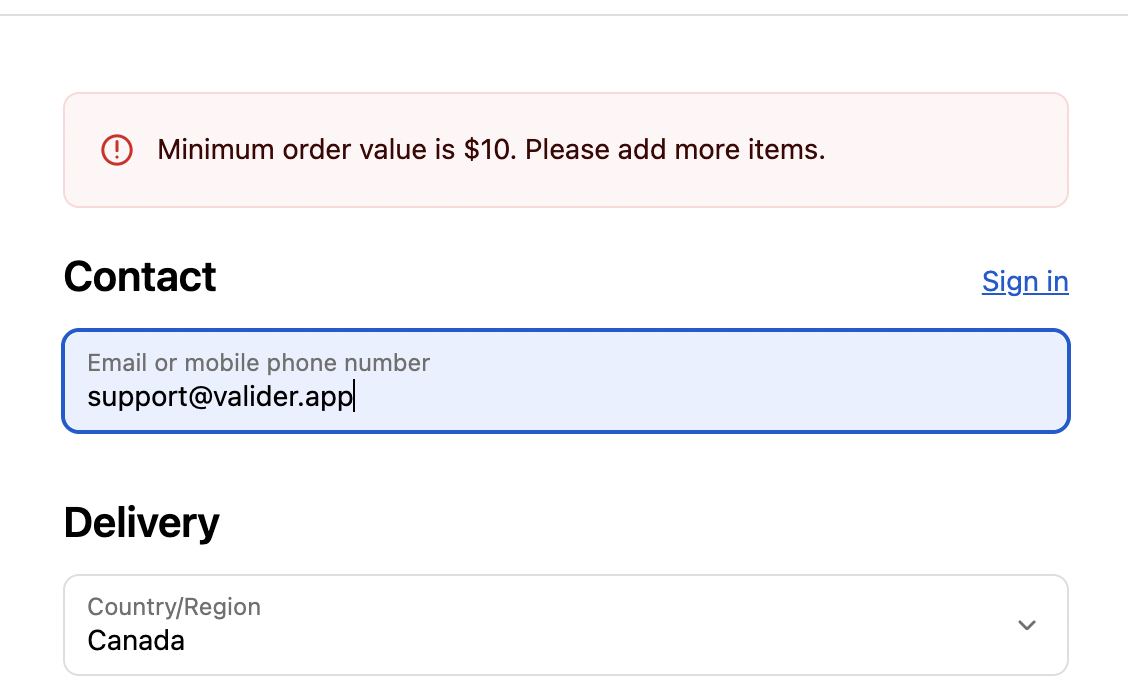
If the cart total is less than the defined minimum value, the rule is triggered and checkout is blocked. An error message is displayed immediately, informing the customer that they need to add more items before proceeding.
This validation happens automatically, ensuring that only qualifying orders reach checkout completion.
Key Features
Automatic Rule Execution
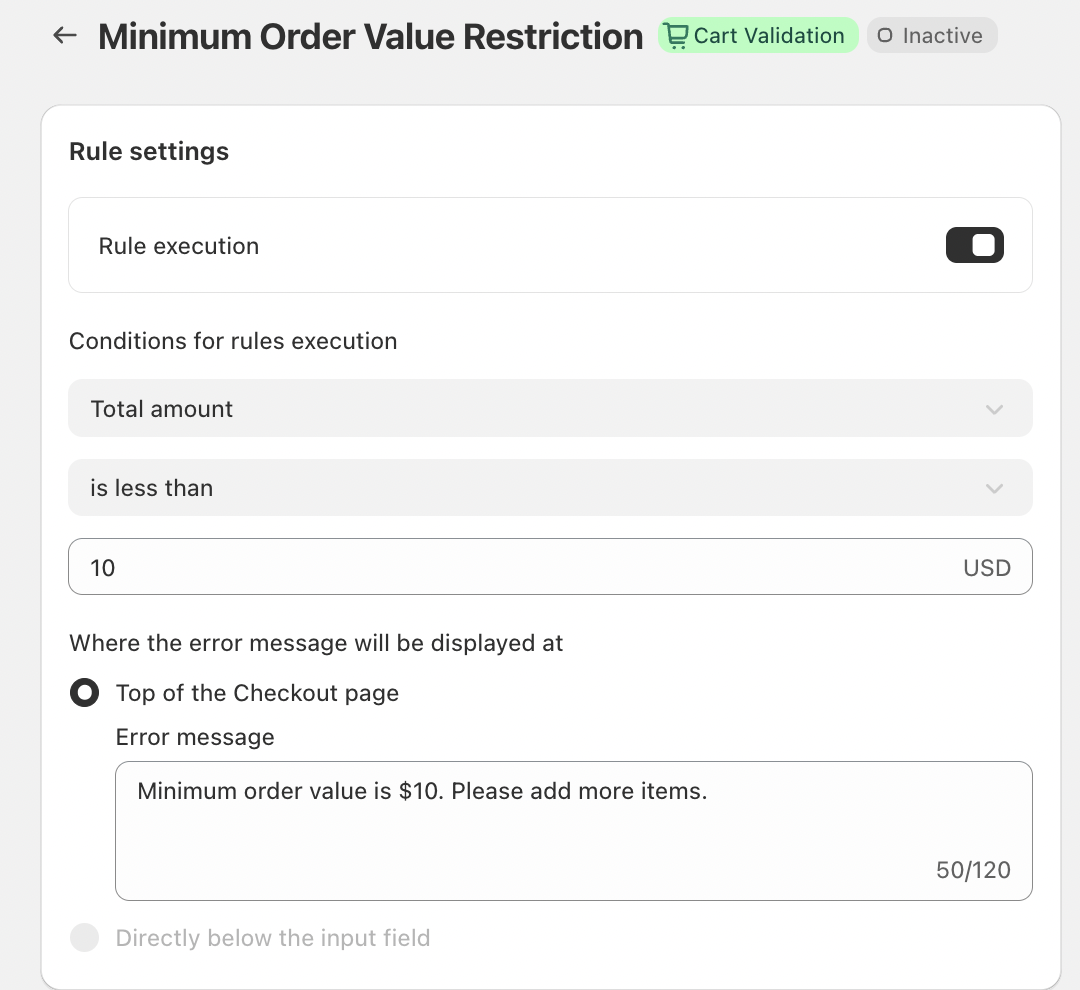
Once enabled, the rule applies to all checkout sessions without requiring additional conditions. Every cart is evaluated against the minimum order value, making enforcement consistent and effortless.
Clear Error Messaging
When the rule is triggered, the error message is displayed at the top of the Checkout page, ensuring it is immediately visible to the customer. This clear placement helps reduce confusion and guides users toward resolving the issue quickly.
Customizable Error Messaging
The error message can be customized to match your store’s tone and branding. For example:
“Minimum order value is $10. Please add more items.”
This approach clearly explains the requirement while encouraging customers to continue shopping rather than abandon their cart.
Conclusion
The Minimum Order Value Restriction rule is an effective way to protect margins and streamline operations by preventing low-value orders from being placed. By setting a clear purchase threshold, businesses can reduce unnecessary costs, improve fulfillment efficiency, and encourage higher-value carts.
This simple validation rule helps create a healthier order flow while maintaining a transparent and user-friendly checkout experience.
If you have any questions or need further assistance, feel free to reach out to support@valider.app
Was this article helpful?
That’s Great!
Thank you for your feedback
Sorry! We couldn't be helpful
Thank you for your feedback
Feedback sent
We appreciate your effort and will try to fix the article