Accurate shipping starts with complete address information. Very short or incomplete addresses often lack essential details such as street names or building numbers, which can lead to delivery failures, delays, or returned shipments. The Address Minimum Length rule in Valider helps prevent these issues by ensuring customers enter sufficiently detailed shipping addresses at checkout.
This article explains why minimum address length matters, how the rule works, and how to configure it correctly.
Why Enable an Address Minimum Length Rule?
Addresses that are too short are frequently incomplete. For example, entries like a single street name, abbreviation, or partial location may not provide enough information for carriers to complete delivery.
Allowing short addresses can result in:
Failed or delayed deliveries
Increased carrier exceptions
Manual address corrections
Higher support and reshipping costs
By enforcing a minimum character length, you encourage customers to provide clearer, more accurate address details from the start.
How the Address Minimum Length Rule Works
When this rule is enabled, Valider checks the length of the address entered in Address Line 1 during checkout.
If the number of characters is less than the minimum value you define, the rule is triggered and the customer is prompted to update their address before continuing.
For example:
Minimum length set to 5 characters
Address entered: “Main”
Result: The address is rejected, and an error message is shown
This ensures that overly short or vague addresses cannot be submitted.
Configuring the Rule in Valider
Valider allows you to easily customize this rule based on your shipping requirements.
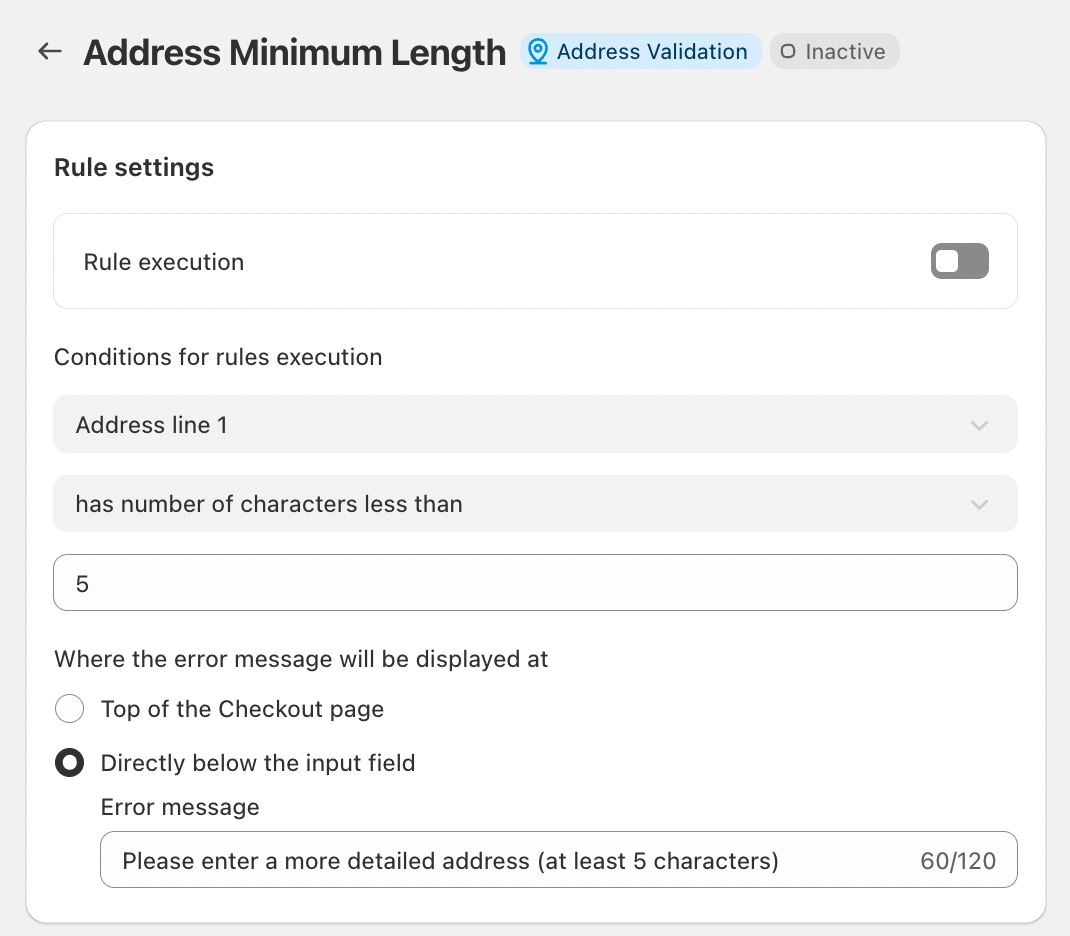
Rule Execution
Toggle Rule execution to enable the Address Minimum Length rule.
Once enabled, the rule applies during checkout.
Conditions for Rule Execution
Select Address Line 1 as the field to validate.
Choose the condition “has number of characters less than”.
Enter your preferred minimum character count (for example, 5 characters).
This setup ensures that addresses shorter than the defined limit are blocked.
Error Message Display Options
You can choose where the validation message appears:
At the top of the checkout page, or
Directly below the address input field
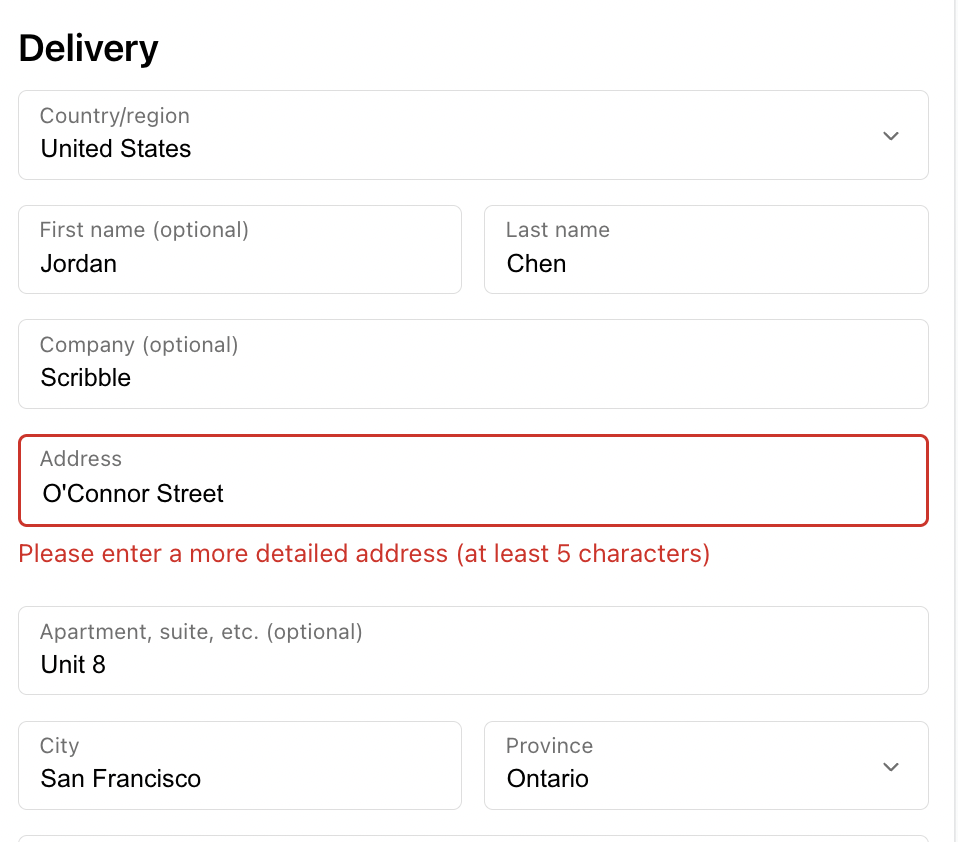
A clear and helpful error message improves the checkout experience. For example:
“Please enter a more detailed address (at least 5 characters).”
This guidance helps customers understand exactly what needs to be corrected.
What Customers Should Do When the Rule Is Triggered
If a customer encounters this error, they should:
Add more detail to Address Line 1
Include a full street name and number where applicable
Avoid abbreviations or incomplete entries
Once the address meets the minimum length requirement, checkout can continue smoothly.
Conclusion
The Address Minimum Length rule is a simple but effective way to improve shipping accuracy. By ensuring customers enter sufficiently detailed addresses, Valider helps prevent delivery problems before orders are placed.
Enabling this rule creates a smoother checkout experience, improves fulfillment success, and supports reliable delivery for every order.
Should you have any further questions, please feel free to drop an email to support@valider.app
Was this article helpful?
That’s Great!
Thank you for your feedback
Sorry! We couldn't be helpful
Thank you for your feedback
Feedback sent
We appreciate your effort and will try to fix the article