Clear and complete address details are essential for accurate shipping and successful order delivery. One often-overlooked issue during checkout is an incomplete or invalid city name—such as a single letter, abbreviation, or accidental keystroke. These short or incorrect entries can cause shipment delays, failed deliveries, and unnecessary manual reviews. City Name Minimum Length Validation helps eliminate this problem by ensuring customers enter a city name that meets a defined minimum length before completing their order.
Why City Name Length Matters
Shipping carriers and logistics partners rely on accurate city information to route packages correctly. City entries that are too short—such as “A,” “NY,” or random characters—are frequently flagged as invalid or mismatched with postal codes and regions. This can lead to:
Delivery delays or routing errors
Returned or undeliverable packages
Higher operational and shipping costs
By validating the city name at checkout, businesses can catch these errors early and ensure higher-quality address data.
How City Name Minimum Length Validation Works
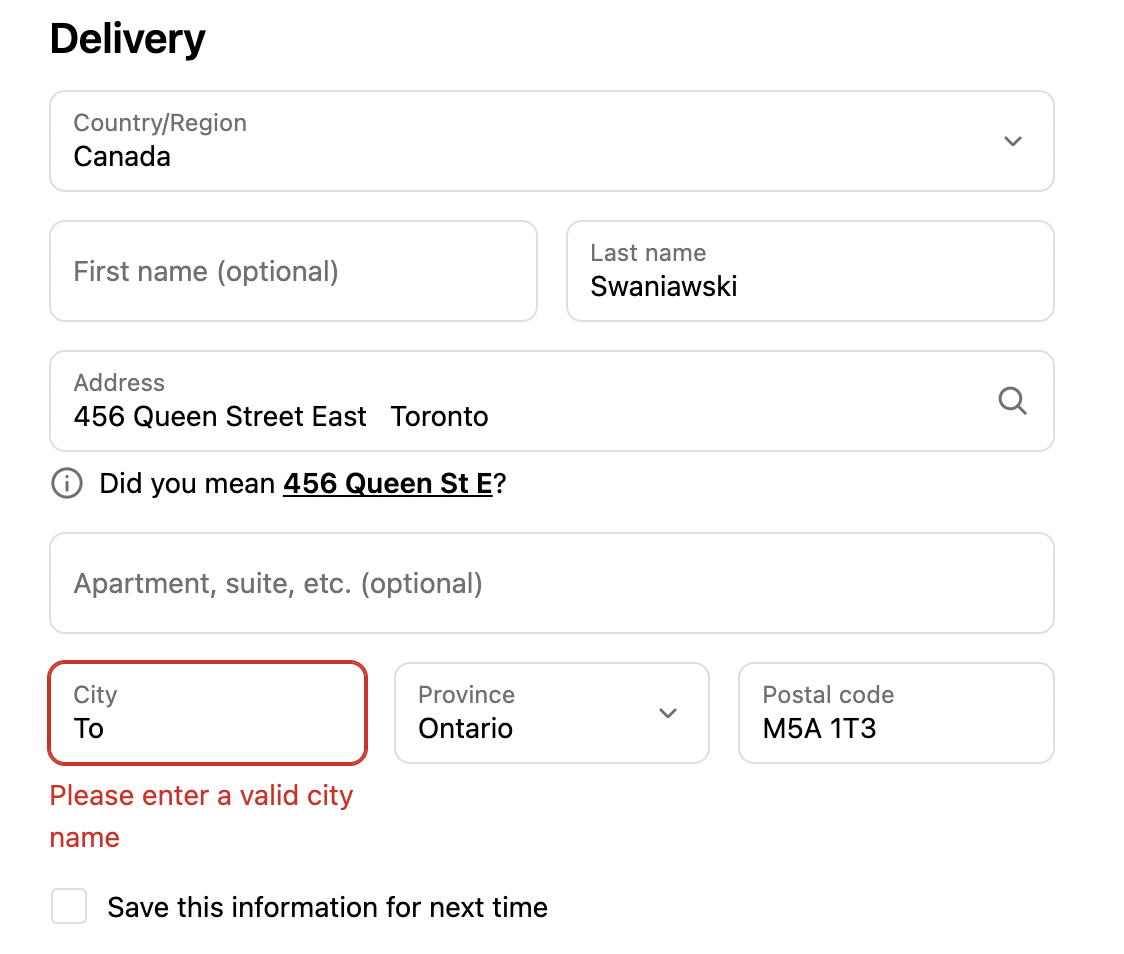
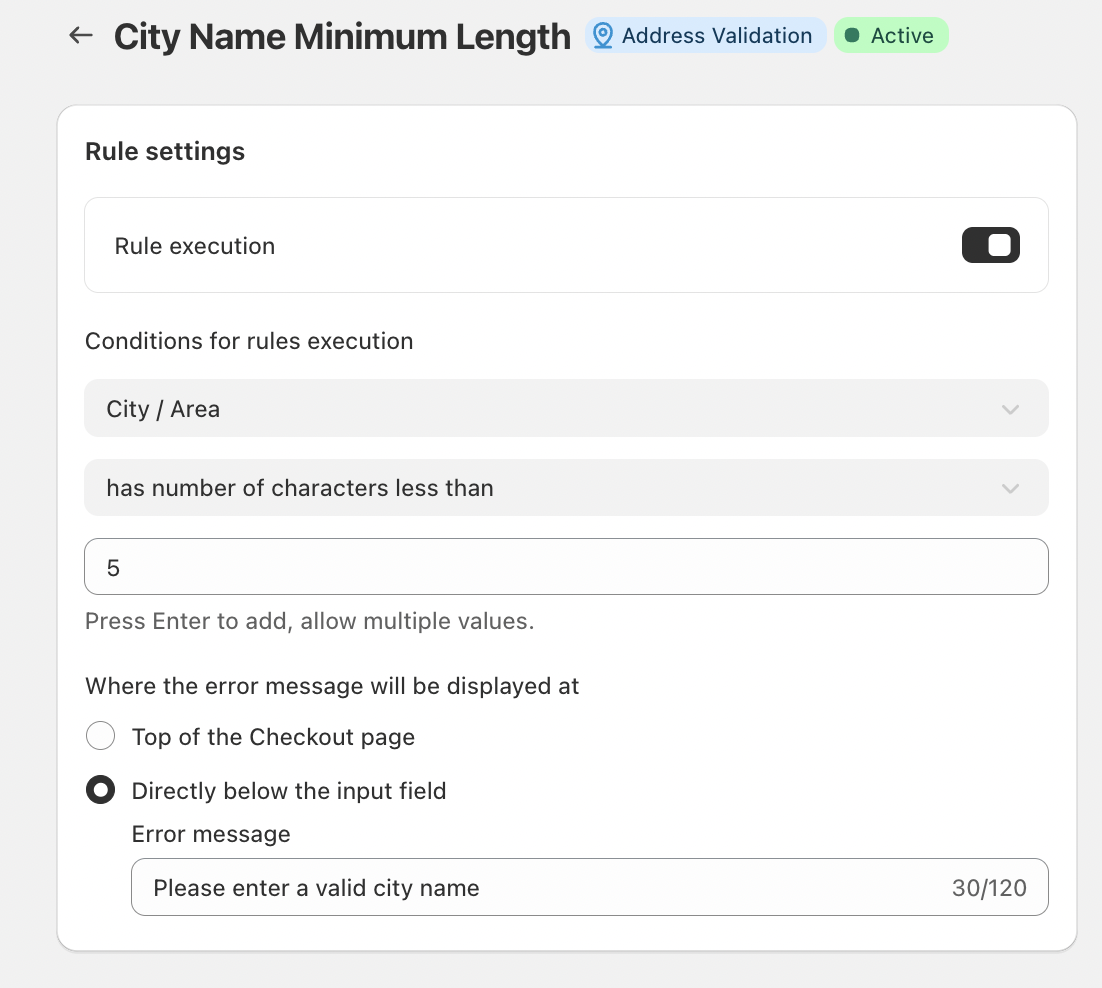
When enabled, the City Name Minimum Length rule checks the number of characters entered in the City / Area field during checkout. If the city name contains fewer characters than the defined minimum (for example, less than two characters), the system blocks checkout progression and prompts the customer to correct the entry.
This simple yet effective validation helps prevent accidental or incomplete inputs while still allowing flexibility for legitimate city names.
Key Features
Configurable Minimum Length
Merchants can define the minimum number of characters required for a city name. This ensures that entries meet basic validity standards without being overly restrictive.
Flexible Error Message Placement
Error messages can be displayed at the top of the checkout page or directly below the city input field, depending on what best suits the checkout experience and design.
Custom Error Messaging
Businesses can customize the error text shown to customers. For example:
“Please enter a valid city name.”
Clear messaging helps customers quickly understand the issue and resolve it without frustration.
Conclusion
City name accuracy plays a crucial role in successful shipping and delivery. By enabling City Name Minimum Length Validation, businesses can reduce address errors, minimize delivery failures, and improve overall checkout reliability. It’s a simple validation rule that delivers meaningful improvements in data quality, operational efficiency, and customer satisfaction—before an order ever reaches fulfillment.
Should you have any further questions, please feel free to drop an email to support@valider.app
Was this article helpful?
That’s Great!
Thank you for your feedback
Sorry! We couldn't be helpful
Thank you for your feedback
Feedback sent
We appreciate your effort and will try to fix the article