In some online stores, accepting very large orders through automated checkout may not always be practical or safe. High-value purchases can require additional verification, special handling, or manual approval. The Maximum Order Value Restriction rule ensures that customers cannot complete checkout if their cart total exceeds a predefined maximum amount.
This rule helps businesses manage risk, prevent costly errors, and maintain better control over high-value transactions.
Why Maximum Order Value Matters
Allowing unrestricted high-value orders can introduce several challenges, including:
Operational risk: Large orders may require special inventory checks, packaging, or shipping arrangements that automated checkout cannot handle.
Fraud prevention: High-value purchases are more likely to be targeted for fraud or chargebacks.
By setting a maximum order value, businesses can ensure that large purchases are handled through the appropriate internal processes.
How Maximum Order Value Restriction Works
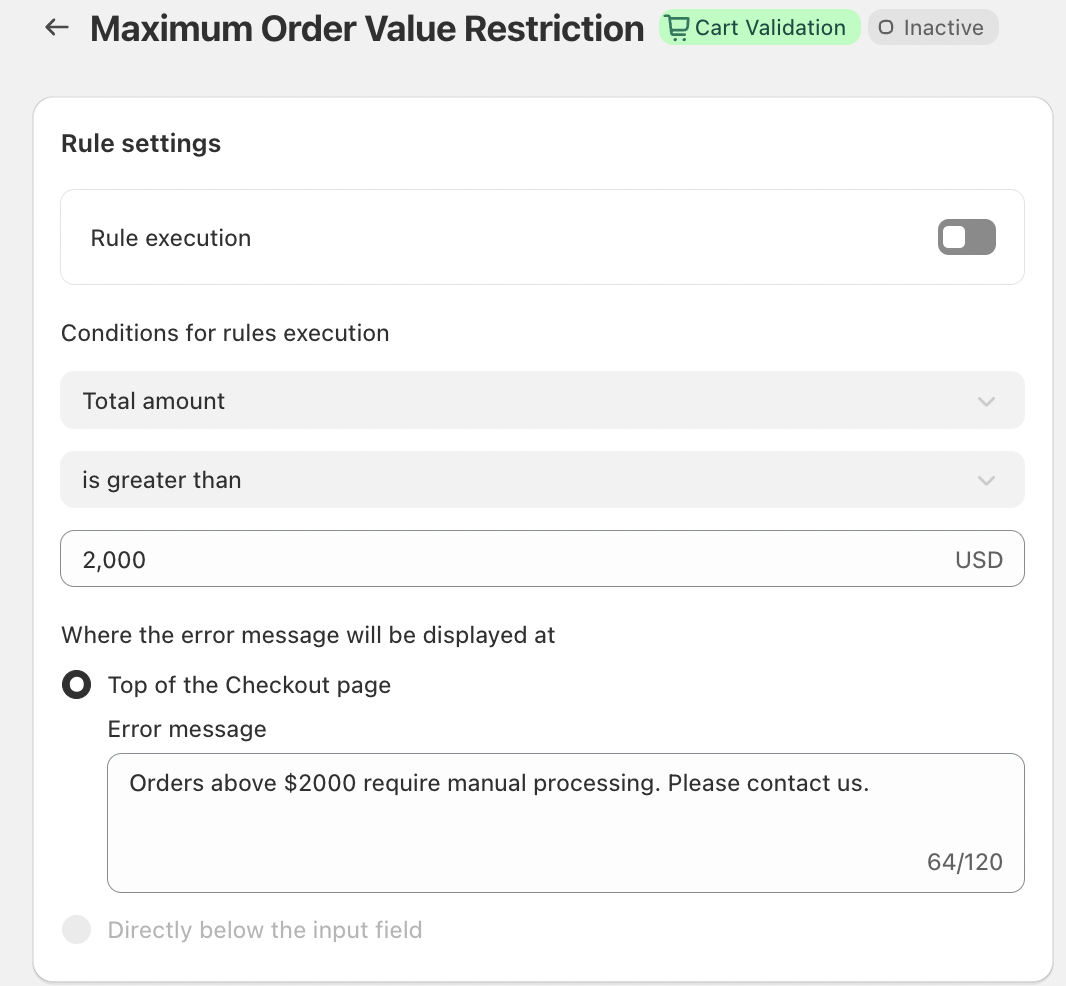
The Maximum Order Value Restriction rule continuously monitors the total cart amount during checkout.
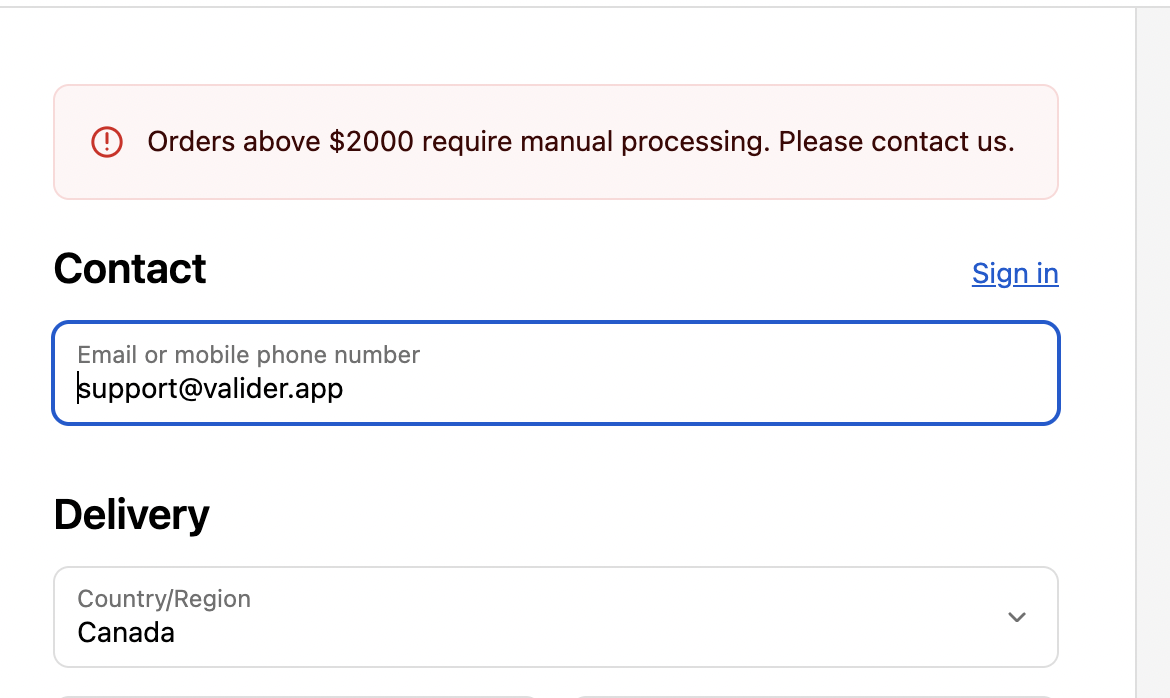
If the cart total is greater than the configured maximum value, the rule is triggered and checkout is blocked. An error message is immediately displayed to inform the customer that the order cannot be completed online and may require additional steps.
This validation happens automatically, preventing oversized orders from being placed unintentionally.
Key Features
Automatic Rule Execution
Once enabled, the Maximum Order Value Restriction rule applies to all checkout sessions. Every cart is evaluated against the defined maximum amount without requiring additional conditions or manual intervention.
Clear Error Visibility
When the rule is triggered, the error message is displayed at the top of the Checkout page, ensuring the customer immediately understands why they cannot proceed. This reduces confusion and prevents repeated checkout attempts.
Customizable Error Messaging
The error message can be customized to match your business process and communication style. For example:
“Orders above $2000 require manual processing. Please contact us.”
This clearly explains the restriction while guiding customers toward the next appropriate step.
Conclusion
The Maximum Order Value Restriction rule is a powerful tool for businesses that need tighter control over high-value orders. By preventing purchases above a set threshold, merchants can reduce fraud risk, protect operations, and ensure large orders receive the attention they require.
This simple validation rule helps create a safer, more controlled checkout experience while maintaining transparency and trust with customers.
If you have any questions or need further assistance, feel free to reach out to support@valider.app
Was this article helpful?
That’s Great!
Thank you for your feedback
Sorry! We couldn't be helpful
Thank you for your feedback
Feedback sent
We appreciate your effort and will try to fix the article