Shipping carriers and fulfillment systems often have strict character limits for address fields. Addresses that exceed these limits may be truncated, rejected, or processed incorrectly, leading to delivery failures. The Extra Long Address rule in Valider helps prevent these issues by blocking shipping addresses that are excessively long.
This article explains why long addresses can cause problems, how the rule works, and how to configure it properly.
Why Block Extra Long Addresses?
While detailed addresses are important, excessively long address entries can introduce errors. Customers may paste full directions, additional notes, or repeated information into address fields that are not intended for that purpose.
Allowing overly long addresses can result in:
Address truncation by carriers
Failed or delayed deliveries
Carrier validation errors
Increased manual corrections and support tickets
Setting a maximum character limit ensures address data stays compatible with shipping systems.
How the Extra Long Address Rule Works
When enabled, Valider checks the total character length of the shipping address during checkout.
If the address exceeds the maximum character limit you define, the rule is triggered and the customer is asked to revise their address before continuing.
For example:
Character limit set to 200
Address entered exceeds 200 characters
Result: The address is rejected and an error message is displayed
This ensures that only addresses within acceptable length limits are submitted.
Configuring the Rule in Valider
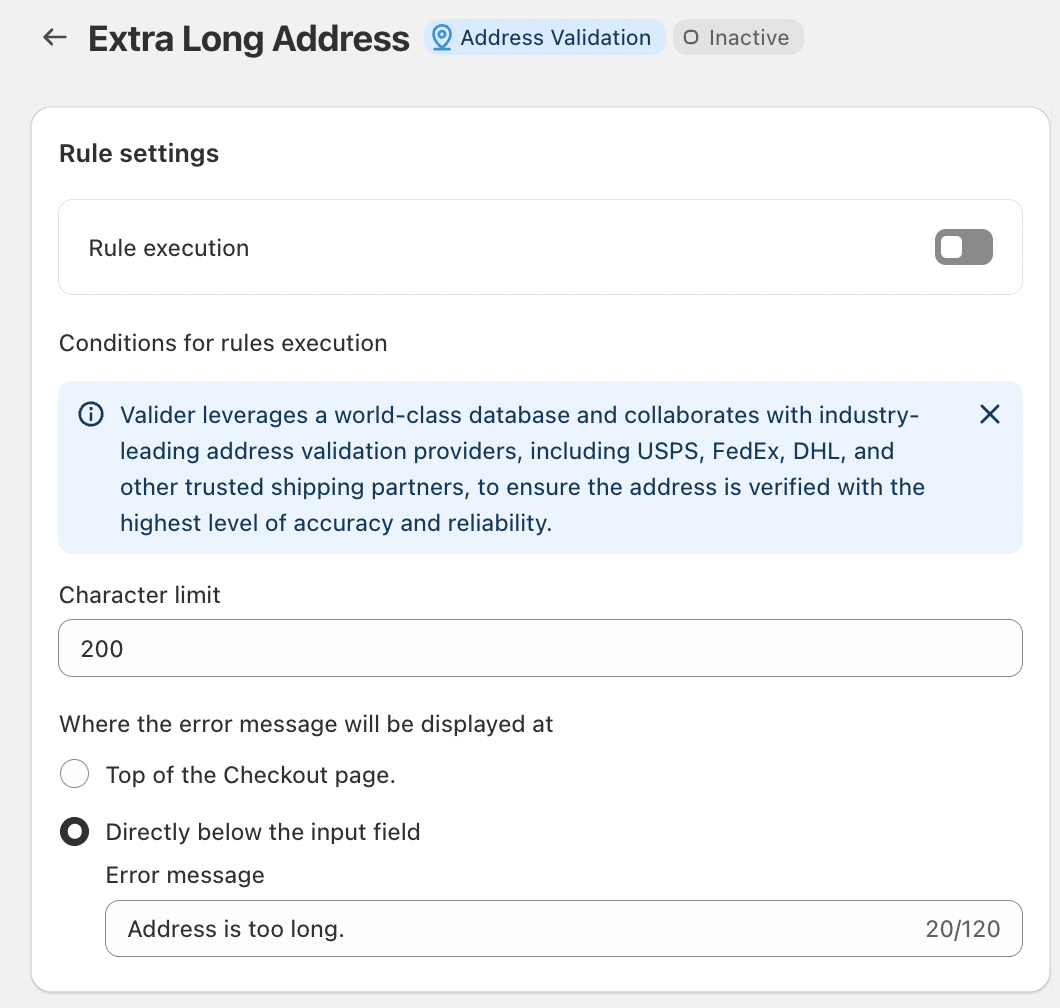
Valider provides flexible configuration options to match your shipping requirements.
Rule Execution
Enable Rule execution to activate the Extra Long Address rule.
Once enabled, the rule is applied during checkout.
Character Limit
Set the maximum number of characters allowed for the address.
A common default is 200 characters, which aligns with most carrier requirements.
You can adjust this value based on your carrier or fulfillment system constraints.
Error Message Display Options
Choose where the error message appears:
At the top of the checkout page, or
Directly below the address input field
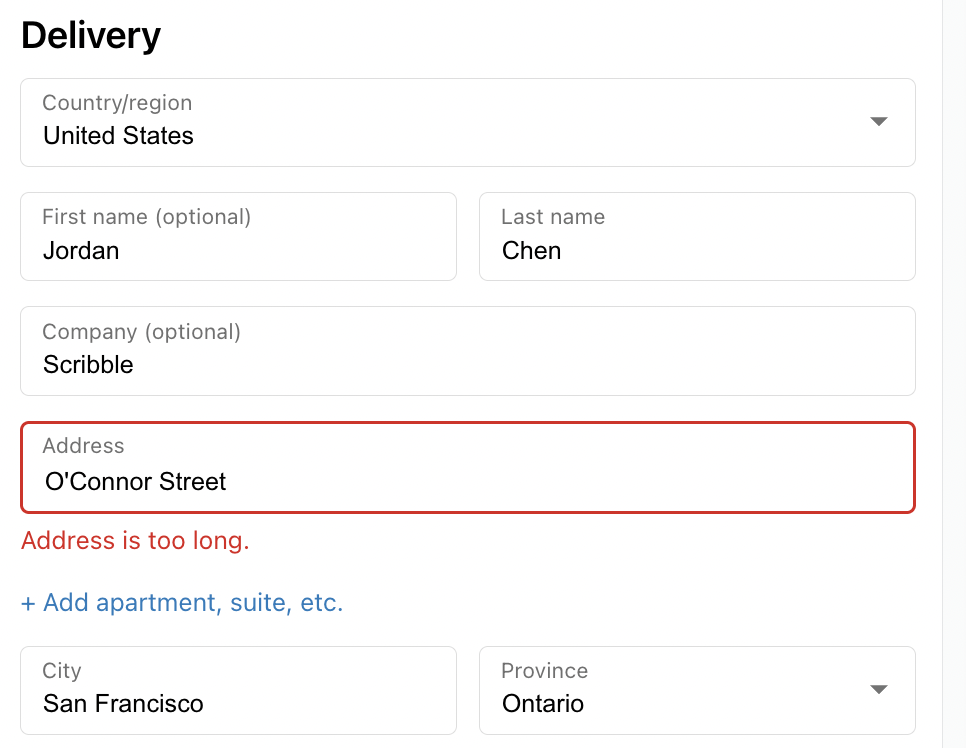
Use a short, clear message to guide customers. For example:
“Address is too long.”
This helps customers quickly understand what needs to be corrected.
What Customers Should Do When the Rule Is Triggered
If a customer encounters this error, they should:
Remove unnecessary details or directions
Avoid adding notes meant for delivery instructions
Keep the address concise and structured
Additional information can be placed in designated fields such as delivery notes, if available.
Conclusion
The Extra Long Address rule helps maintain clean, compatible address data by preventing excessively long entries at checkout. By setting a reasonable character limit, Valider ensures that shipping addresses meet carrier requirements and are processed accurately.
Enabling this rule improves delivery success, reduces errors, and supports a smoother checkout experience for everyone.
Should you have any further questions, please feel free to drop an email to support@valider.app
Was this article helpful?
That’s Great!
Thank you for your feedback
Sorry! We couldn't be helpful
Thank you for your feedback
Feedback sent
We appreciate your effort and will try to fix the article