When collecting customer details during checkout, accuracy is crucial for smooth transactions and order fulfillment. Special characters in first names—while common in some cases—can disrupt order processing and cause data inconsistencies. The Block Special Characters in First Name rule ensures that first names entered during checkout are free from special characters, helping to avoid potential issues.
Why Block Special Characters in First Names?
Special characters like @, #, $, and & are not typical in first names and can interfere with system functions, such as:
Database integrity: Special characters can cause errors in databases or make it harder to format names properly for shipping labels and communications.
Order processing: Some systems may not handle special characters well, leading to issues with order tracking or miscommunication.
By blocking these characters during the checkout process, businesses can ensure more reliable order fulfillment and maintain the integrity of their customer data.
How Block Special Characters in First Name Works
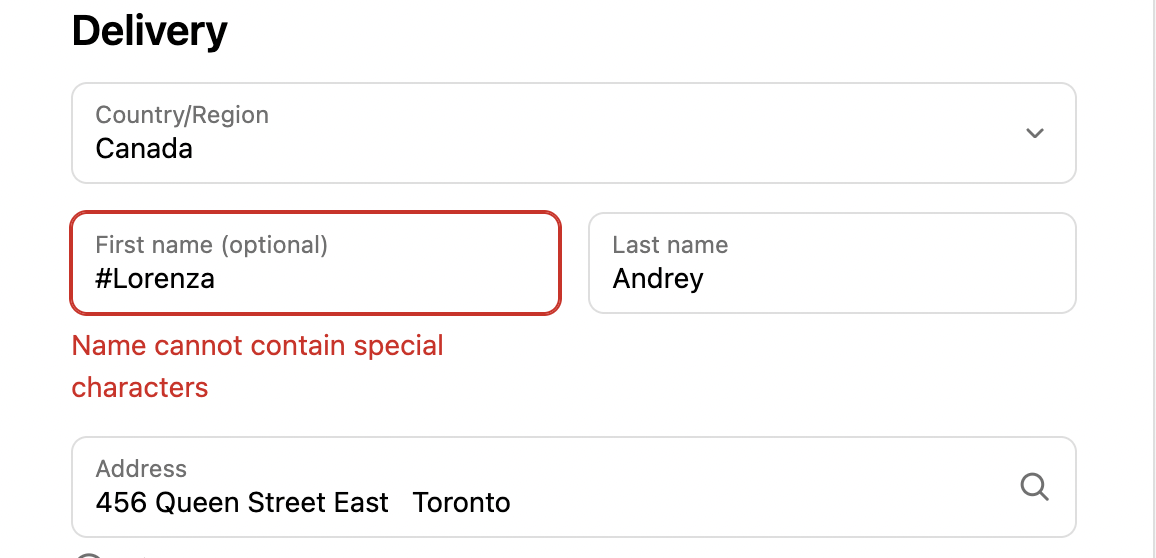
The Block Special Characters in First Name rule works by scanning the first name entered during checkout. If the first name contains any special characters (for example, #), the system will trigger an error message, notifying the customer to correct their input.
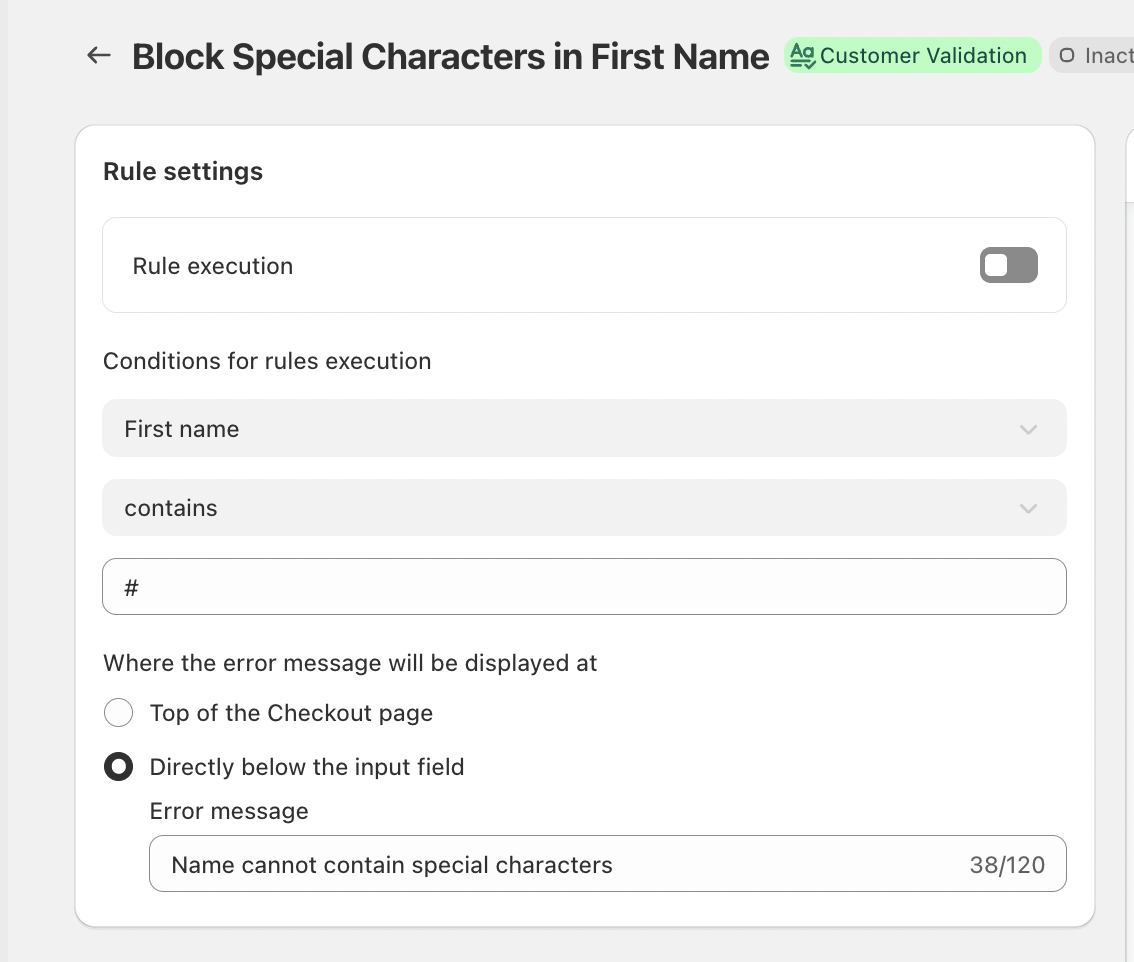
In this example, the system is specifically checking for the # character in the first name field. If detected, the validation will prompt the user to correct their entry before continuing with the checkout.
This validation helps catch errors instantly and ensures that only valid first names, free from special characters, are accepted during checkout.
Key Features
Universal Rule Execution
Once enabled, the Block Special Characters in First Name rule automatically applies to all checkouts, ensuring that no first name with special characters is allowed without requiring any additional setup or complex configuration.
Inline Error Messaging
When a special character is detected in the first name field, an error message will appear directly top of the Checkout page or below the input field. This immediate feedback allows customers to easily identify and correct their mistake, streamlining the checkout process and reducing frustration.
Customizable Error Messaging
Businesses can customize the error message to fit their brand tone and voice. For example, the message can read:
“Name cannot contain special characters.”
This personalized approach ensures the message is clear and aligned with the customer experience the business wants to provide.
Conclusion
The Block Special Characters in First Name rule is a simple yet powerful tool for maintaining clean and accurate customer data. By preventing the use of special characters in first names, businesses can reduce errors, streamline order processing, and ensure a smoother, more efficient checkout experience for their customers.
This proactive validation step protects against potential issues in data integrity and customer service, ensuring that the information collected is accurate, consistent, and ready for proper fulfillment.
For any further questions or assistance, feel free to reach out to support@valider.app
Was this article helpful?
That’s Great!
Thank you for your feedback
Sorry! We couldn't be helpful
Thank you for your feedback
Feedback sent
We appreciate your effort and will try to fix the article