Accurate delivery addresses are essential for smooth order fulfillment. However, customers sometimes enter placeholder, test, or irrelevant text—such as “test,” “asdf,” or internal notes—into address fields. These entries may pass basic form checks but often result in failed deliveries and manual corrections. Address Contains Invalid Text Validation helps prevent these issues by stopping invalid address content at checkout.
By validating address text, businesses can ensure only legitimate, deliverable addresses proceed to fulfillment.
Why Invalid Address Text Matters
Invalid or placeholder text in address fields can easily slip through checkout, especially during testing or rushed purchases. These incorrect entries can lead to:
Failed or returned shipments
Delays caused by manual address review
Additional shipping and handling costs
Catching invalid text early protects both your operations and your customers.
How Address Contains Invalid Text Validation Works
When enabled, the Address Contains Invalid Text rule checks the content of the address field—such as Address Line 1—during checkout.
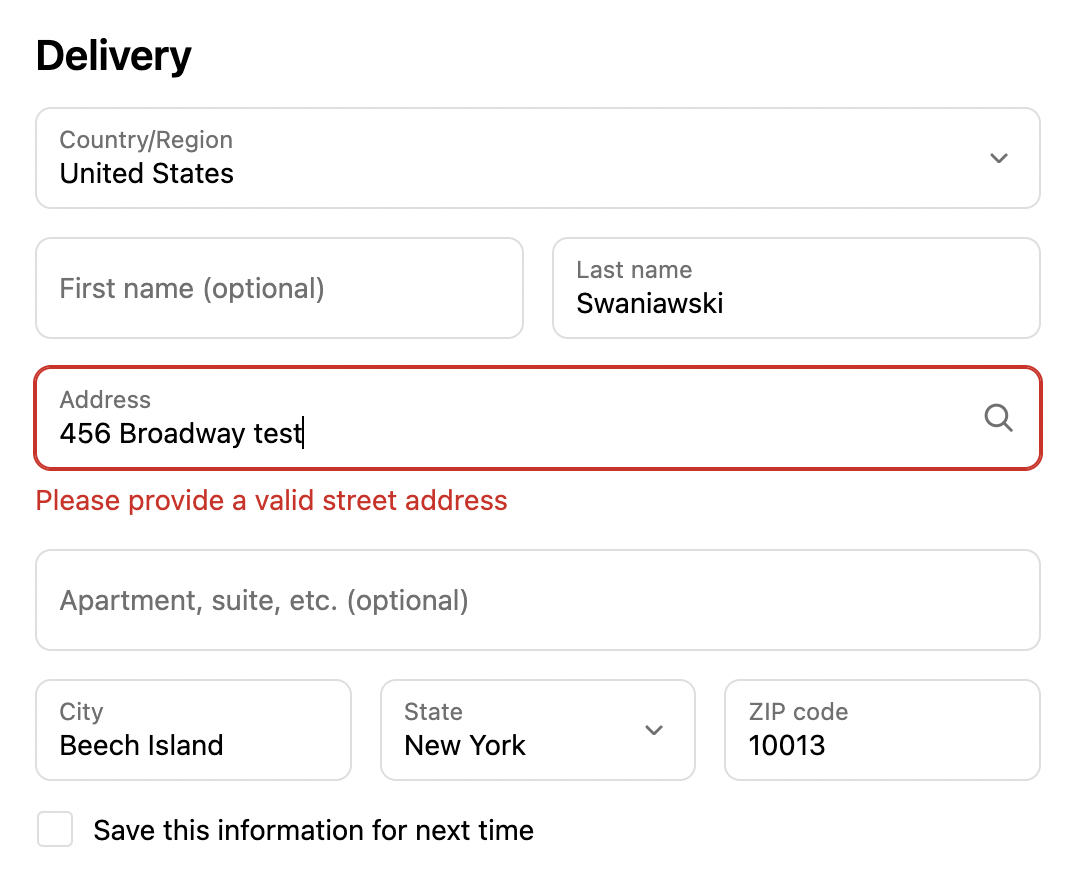
If the entered address contains predefined invalid text (for example, “test”), the system immediately blocks checkout progression. An error message is displayed, prompting the customer to correct the address before continuing.
This ensures that placeholder or non-deliverable address entries never become confirmed orders.
Key Features
Targeted Text Detection
The rule triggers when the selected address field contains specific invalid text values, allowing businesses to define exactly which words or phrases should be blocked.
Inline Error Messaging
Error messages can be displayed top of the checkout page or directly below the input field, clearly indicating the problem at the point of entry. This helps customers quickly understand what needs to be fixed.
Custom Error Messages
Businesses can customize the error message to match their brand tone and provide clear guidance.
Example:
“Please provide a valid street address.”
Clear messaging reduces confusion and speeds up checkout corrections.
Simple Rule Management
The rule can be enabled or disabled at any time, making it easy to adapt to changing requirements or testing workflows.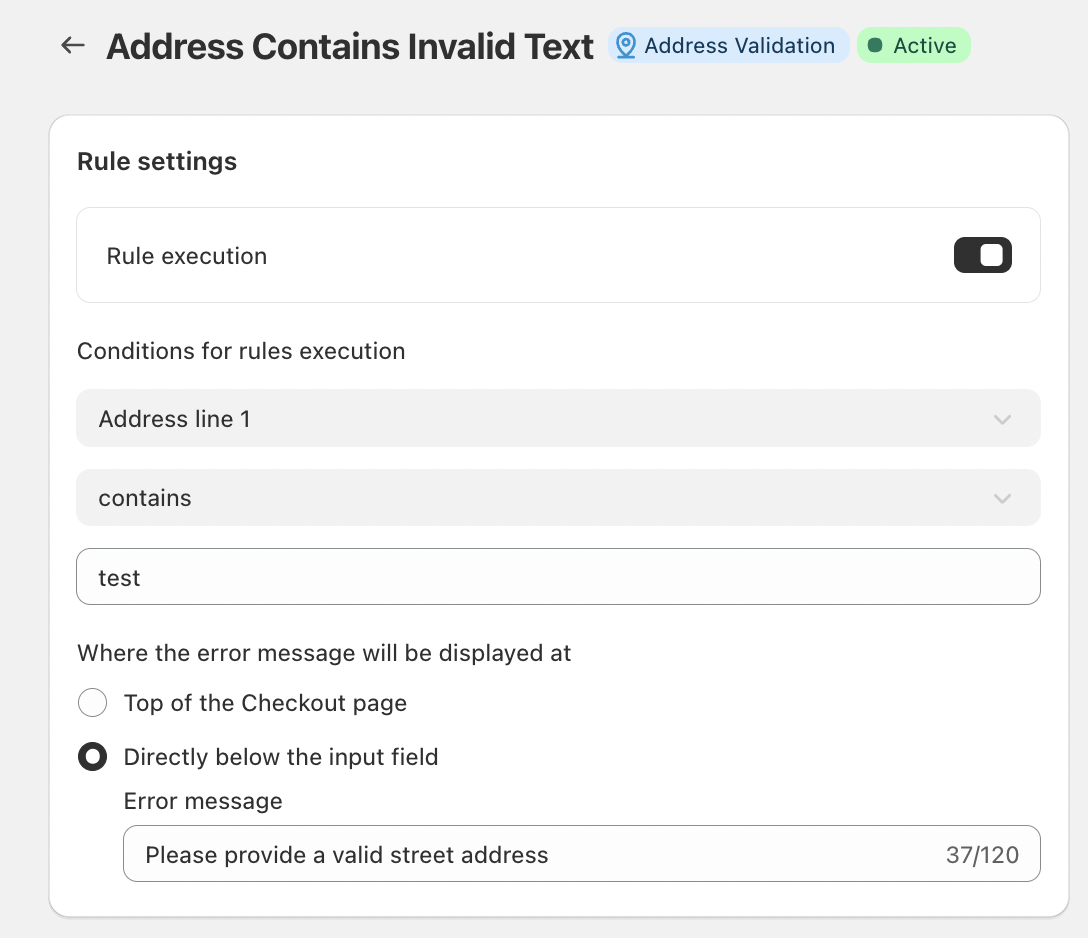
Conclusion
Address Contains Invalid Text Validation is a simple yet powerful safeguard against avoidable shipping errors. By blocking placeholder or irrelevant text at checkout, businesses can reduce failed deliveries, minimize manual intervention, and maintain clean, reliable order data.
It’s a proactive step that improves fulfillment accuracy and ensures every order starts with a valid, deliverable address.
Should you have any further questions, please feel free to drop an email to support@valider.app
Was this article helpful?
That’s Great!
Thank you for your feedback
Sorry! We couldn't be helpful
Thank you for your feedback
Feedback sent
We appreciate your effort and will try to fix the article