Accurate address validation is essential for successful order fulfillment. Certain address types—such as military addresses (APO, FPO, and DPO)—require specialized shipping support that not all carriers or merchants can provide. If your business is unable to deliver to these locations, allowing such orders to proceed can result in failed deliveries, increased support workload, and poor customer experience.
The Military Address Validation rule helps prevent these issues by blocking unsupported military addresses directly at checkout.
Why Military Addresses Matter
Military addresses are used by U.S. service members and government personnel stationed overseas. Although they are part of the U.S. postal system, they often involve:
Limited carrier support
Longer transit times
Specific customs or routing requirements
If your shipping setup does not support APO/FPO/DPO deliveries, accepting these addresses can lead to:
Undeliverable or returned shipments
Refunds and reshipments
Increased operational and carrier costs
Preventing these orders upfront is the most effective way to avoid downstream issues.
How Military Address Validation Works
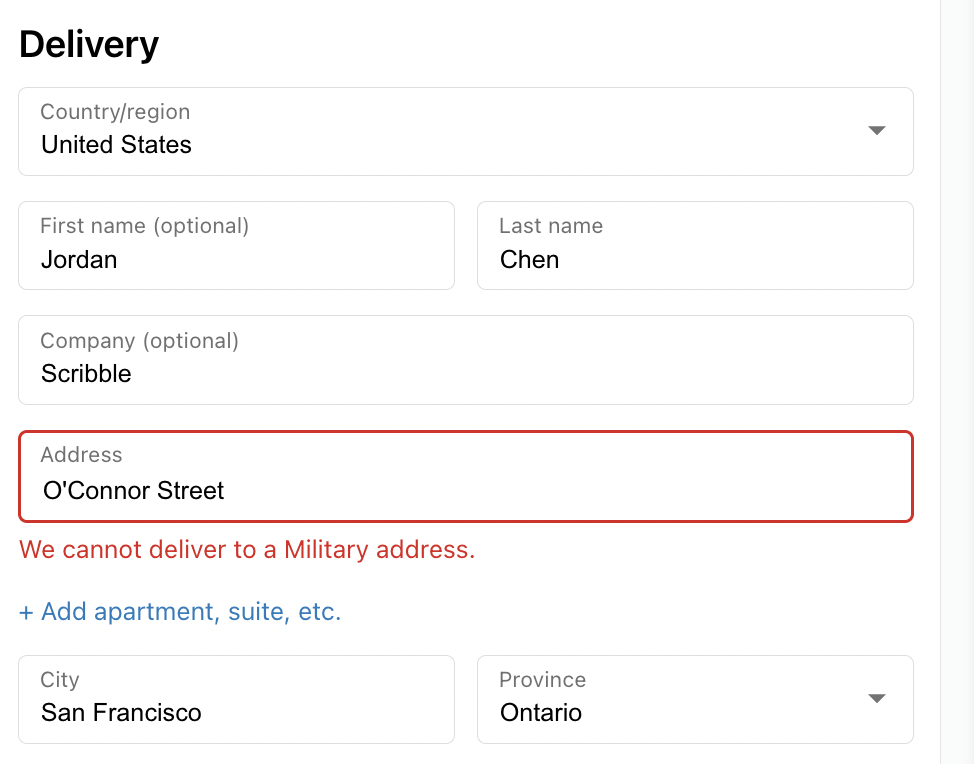
When enabled, the Military Address rule automatically checks shipping addresses entered during checkout. If the system detects an APO, FPO, or DPO address, it immediately stops the customer from proceeding and displays a clear error message explaining that delivery to military addresses is not supported.
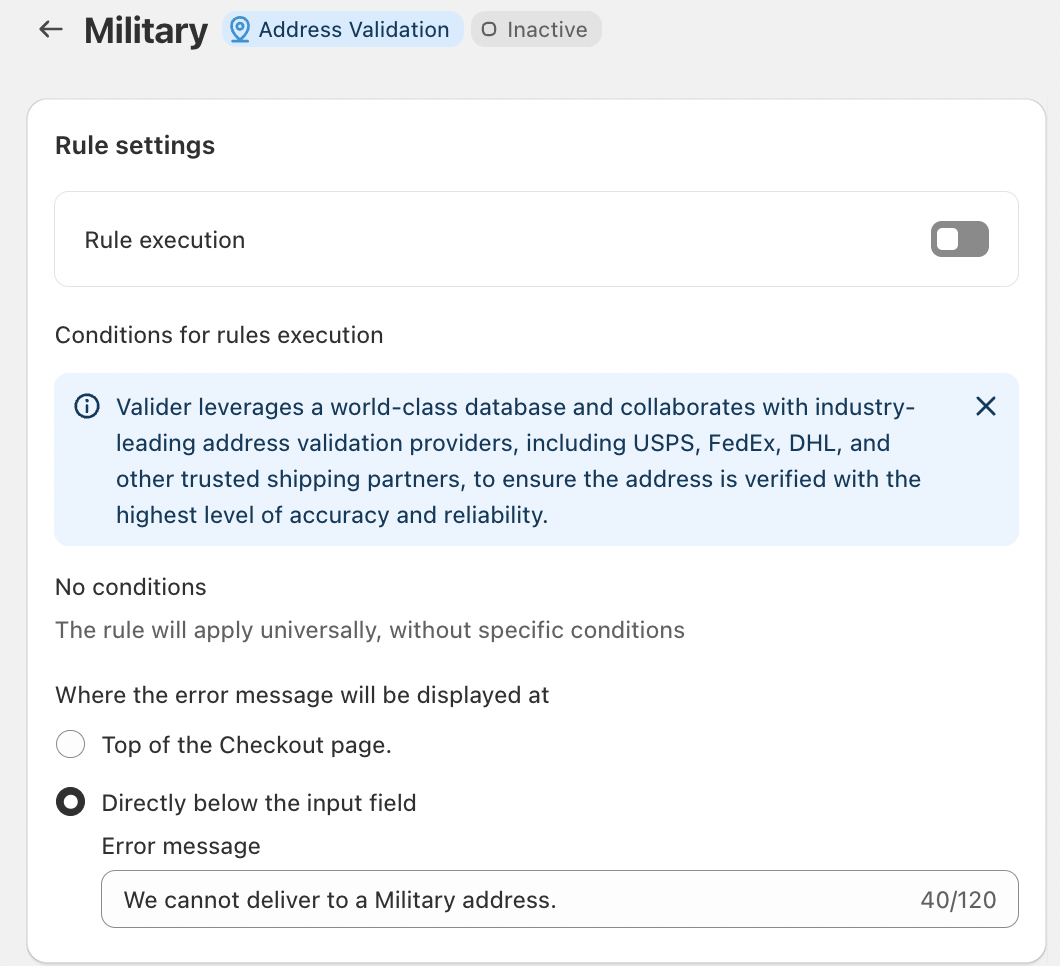
This validation uses a global, industry-leading address database and works in collaboration with trusted logistics and shipping partners such as USPS, FedEx, DHL, and other carriers to ensure high accuracy and reliability.
Key Features
Universal Rule Execution
The rule applies to all checkouts automatically, with no additional conditions required. Once enabled, it consistently blocks unsupported military addresses across your store.
Inline Error Messaging
Error messages can be displayed directly below the address input field, clearly pointing out the issue at the moment it occurs. This helps customers quickly understand why they cannot proceed.
Custom Error Messaging
You can customize the error message to match your brand tone, for example:
“We cannot deliver to a Military address.”
Clear messaging reduces confusion and minimizes support inquiries.
Conclusion
Shipping limitations should be addressed before an order is placed—not after it fails. By enabling Military Address Validation, businesses can proactively prevent undeliverable orders, reduce operational costs, and provide a smoother checkout experience.
This simple rule ensures transparency, protects fulfillment efficiency, and helps set the right expectations for customers—before an order ever reaches the warehouse.
Should you have any further questions, please feel free to drop an email to support@valider.app
Was this article helpful?
That’s Great!
Thank you for your feedback
Sorry! We couldn't be helpful
Thank you for your feedback
Feedback sent
We appreciate your effort and will try to fix the article