Accurate address formatting plays a critical role in successful order fulfillment, especially when shipping systems rely on standardized character sets. While many customers may enter addresses using local scripts, not all carriers or logistics systems support non-Latin characters. Non-Latin Character Validation helps prevent processing and delivery issues by ensuring address inputs remain compatible with global shipping requirements.
Why Non-Latin Characters Can Cause Shipping Issues
Many carrier databases and label-generation systems are optimized for Latin-based characters. When addresses include unsupported scripts—such as Cyrillic, Arabic, or East Asian characters—they may fail validation or become unreadable during transit. These issues often result in:
Address verification failures
Delayed or rejected shipments
Manual address corrections by operations teams
Increased carrier exceptions and costs
Inconsistent customer delivery experiences
By enforcing a consistent character standard at checkout, businesses can significantly reduce these risks.
How Non-Latin Character Validation Works
When enabled, the Non-Latin Character rule automatically scans address fields during checkout. If unsupported characters are detected, customers are prompted to update their address before completing the order.
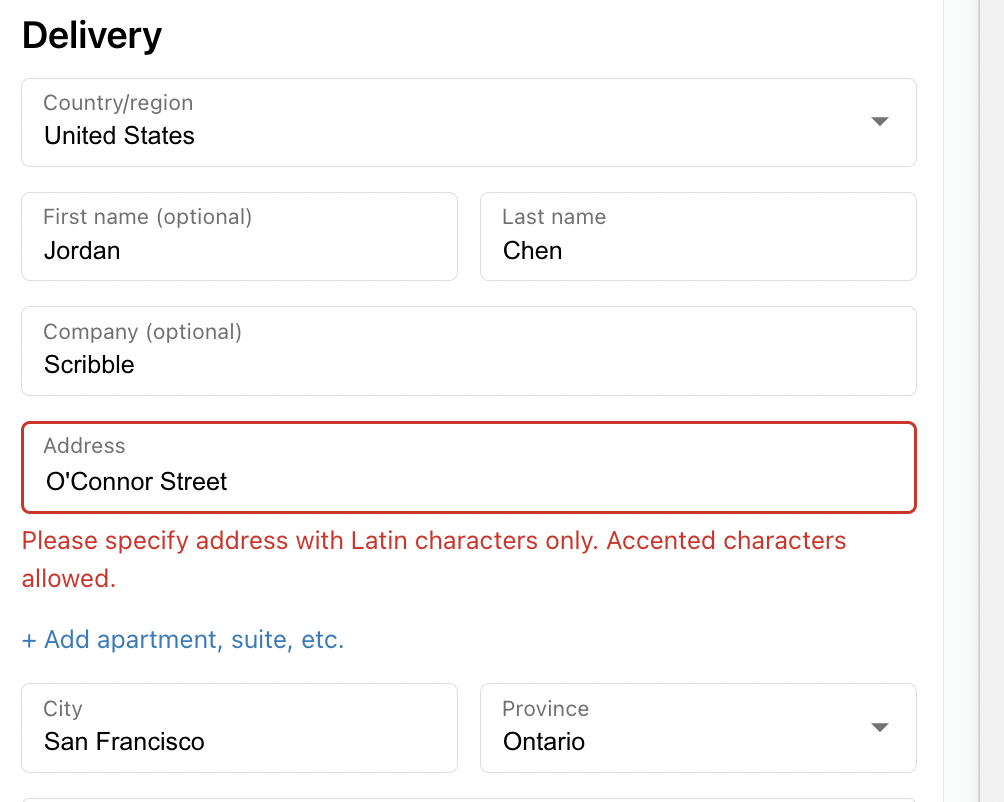
This validation is powered by Valider’s world-class address verification infrastructure, working in collaboration with trusted logistics partners including USPS, FedEx, DHL, and other carriers. This ensures real-time, highly accurate address validation across regions.
Key Features
Universal Rule Execution
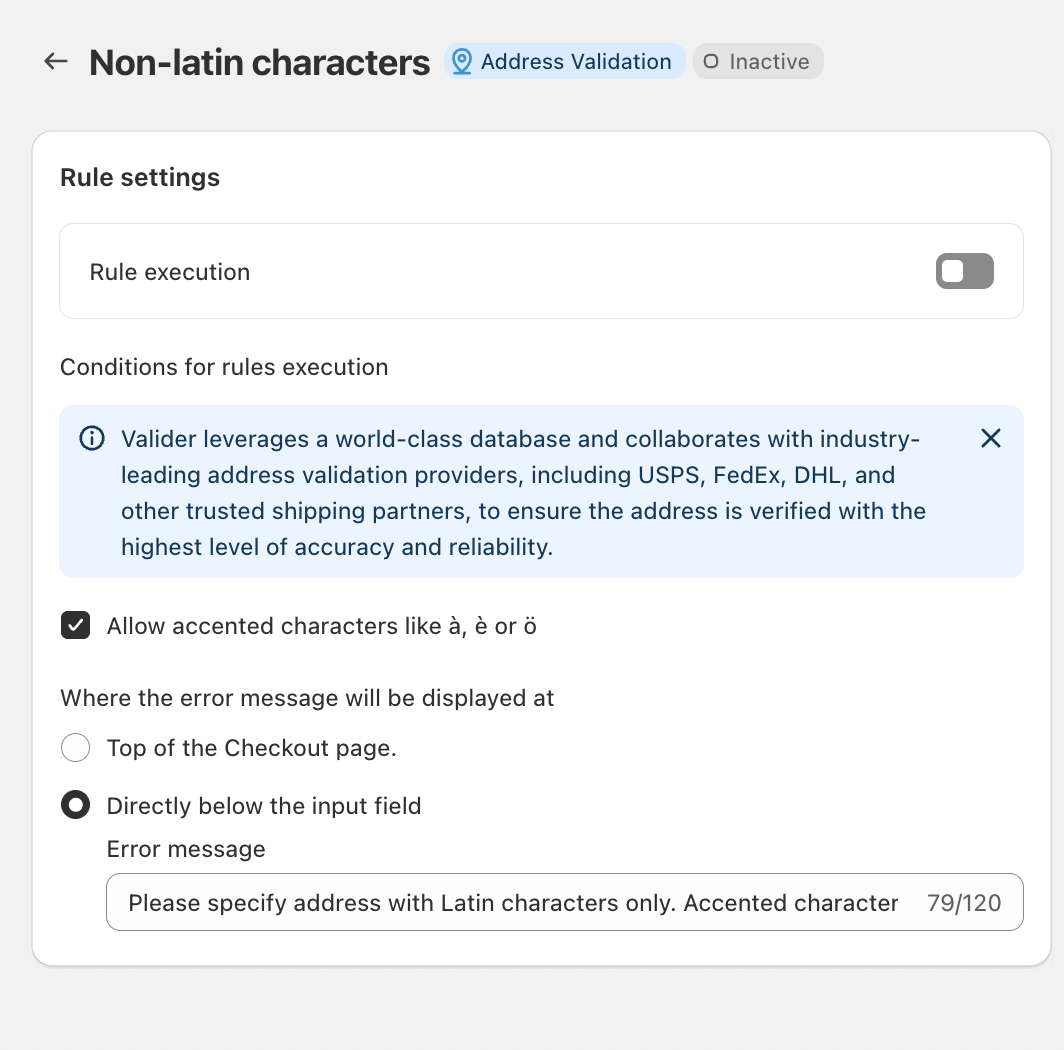
Once activated, the rule applies automatically to all checkout flows without requiring additional conditions, making it simple to deploy and manage.
Support for Accented Characters
Accented Latin characters can be explicitly allowed, preserving address authenticity while maintaining compatibility with carrier systems.
Inline Error Messaging
Error messages can be displayed directly below the affected input field, clearly guiding customers on how to correct their address.
Custom Error Messaging
Businesses can tailor error messages to match their brand voice, for example:
“Please specify address with Latin characters only.”
Clear guidance helps customers resolve issues quickly and continue checkout without frustration.
Conclusion
Non-Latin Character Validation is a proactive step toward cleaner address data and more reliable shipping outcomes. By standardizing address inputs while still supporting accented Latin characters, businesses can reduce delivery failures, minimize operational overhead, and provide a smoother checkout experience for customers worldwide.
Should you have any further questions, please feel free to drop an email to support@valider.app.
Was this article helpful?
That’s Great!
Thank you for your feedback
Sorry! We couldn't be helpful
Thank you for your feedback
Feedback sent
We appreciate your effort and will try to fix the article