Ensuring accurate and reliable delivery starts with validating shipping addresses at checkout. One common source of delivery issues is the use of Post Office (PO) Box addresses, which are not supported by many shipping carriers. With Valider, you can easily block PO Box addresses and prevent related shipping failures before an order is placed.
This guide explains why PO Box addresses should be blocked, how Valider detects them, and how to configure the rule correctly.
Why Block PO Box Addresses?
While PO Boxes are useful for receiving mail, they are often incompatible with modern shipping operations. Many private carriers—such as FedEx, DHL, and similar services—require a physical street address and cannot deliver to PO Boxes.
Allowing PO Box addresses can lead to:
Undeliverable shipments
Delivery delays and order cancellations
Increased support requests and refunds
A poor customer experience
Blocking PO Boxes at checkout ensures that customers provide a valid, deliverable address from the start.
How Valider Identifies PO Box Addresses
Valider uses advanced address validation powered by a global, high-accuracy database and trusted industry partners. When a customer enters a shipping address, Valider automatically scans it for PO Box indicators such as:
“PO Box”
“P.O. Box”
“Post Office Box”
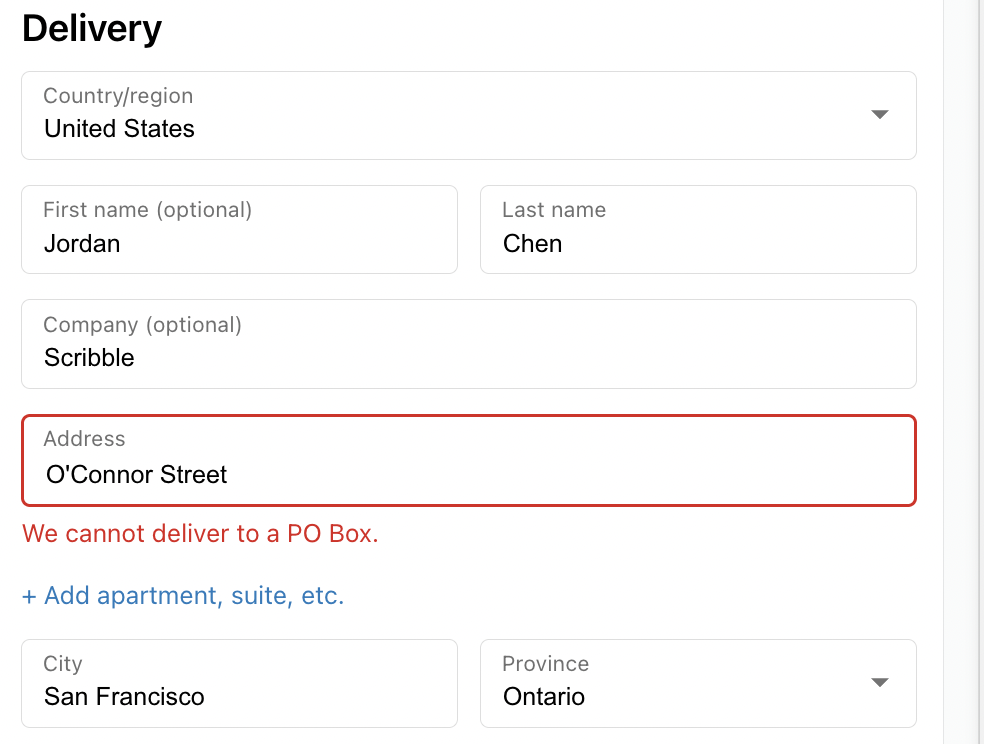
If a PO Box is detected, the rule is triggered immediately, preventing the customer from proceeding until a valid physical address is entered.
Configuring the PO Box Rule in Valider
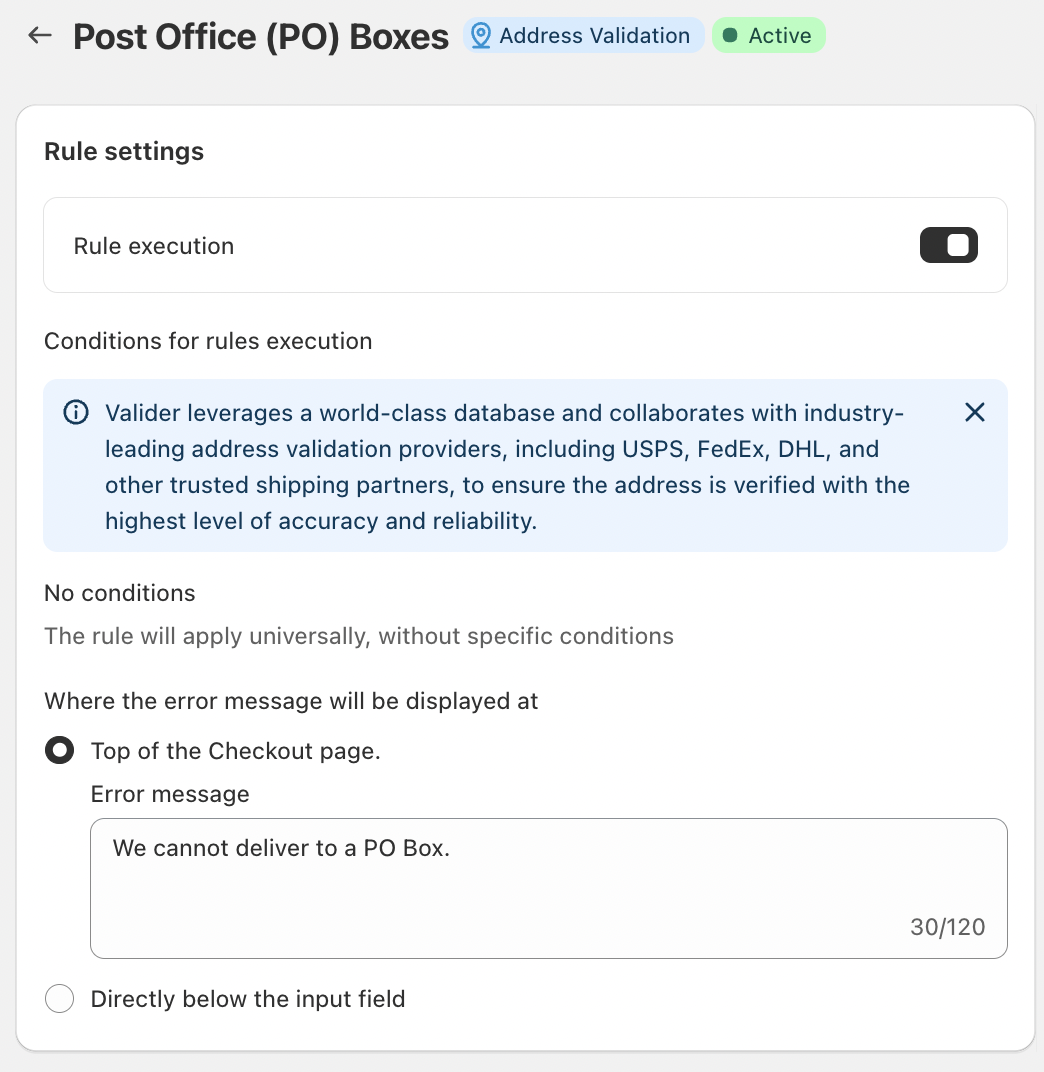
Valider makes it simple to block PO Box addresses through a dedicated rule configuration.
Rule Execution
Enable the PO Box rule to activate detection during checkout.
Once enabled, the rule applies universally unless additional conditions are added.
Conditions for Rule Execution
No conditions are required by default.
The rule applies to all shipping addresses entered at checkout.
Error Message Display
You can choose where the error message appears:
At the top of the checkout page, or
Directly below the address input field
A clear message helps customers understand the issue immediately. For example:
“We cannot deliver to a PO Box.”
This ensures transparency and reduces confusion during checkout.
What Customers Should Do When the Rule Is Triggered
If a customer enters a PO Box address and sees the error message, they should:
Replace the PO Box with a physical street address
Use a home, apartment, or business address
Ensure all address fields are complete and accurate
Once a valid address is entered, checkout can continue without interruption.
Conclusion
Blocking PO Box addresses is a simple but powerful way to prevent shipping problems. With Valider’s address validation rules, you can ensure that only deliverable shipping addresses are accepted—improving logistics efficiency and customer satisfaction.
By configuring the PO Box rule correctly, you create a smoother checkout experience and help every order reach its destination successfully.
Should you have any further questions, please feel free to drop an email to support@valider.app
Was this article helpful?
That’s Great!
Thank you for your feedback
Sorry! We couldn't be helpful
Thank you for your feedback
Feedback sent
We appreciate your effort and will try to fix the article