Validating the billing address during the payment stage of the checkout process is crucial for ensuring that orders are processed correctly, payments are legitimate, and transactions are secure. By verifying the billing address at this stage, merchants can reduce fraud, avoid payment issues, and ensure that all customer details are accurate before finalizing the transaction.
Steps to Validate the Billing Address
1. Access Checkout Validation
Open the Address Validator app. From there:
Go to the Checkout Validation section.
Click the My Rules tab to manage your custom rules.
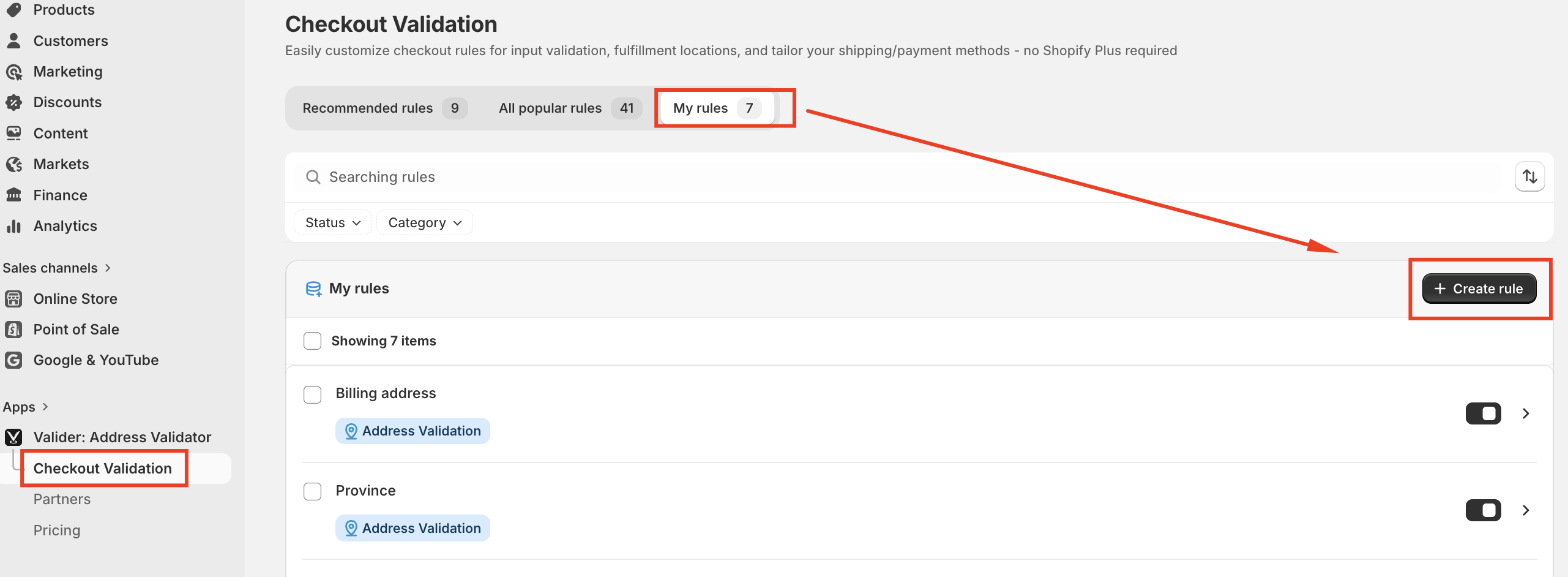
2. Create a New Rule for Billing Address Validation
Click on Create Rule to start setting up a new rule for validating the billing address during the payment stage.
Choose Billing Address as the category for your rule. This will allow you to target fields such as Address Line 1, Address Line 2, City, ZIP/Postal Code, Country, and Province/State.
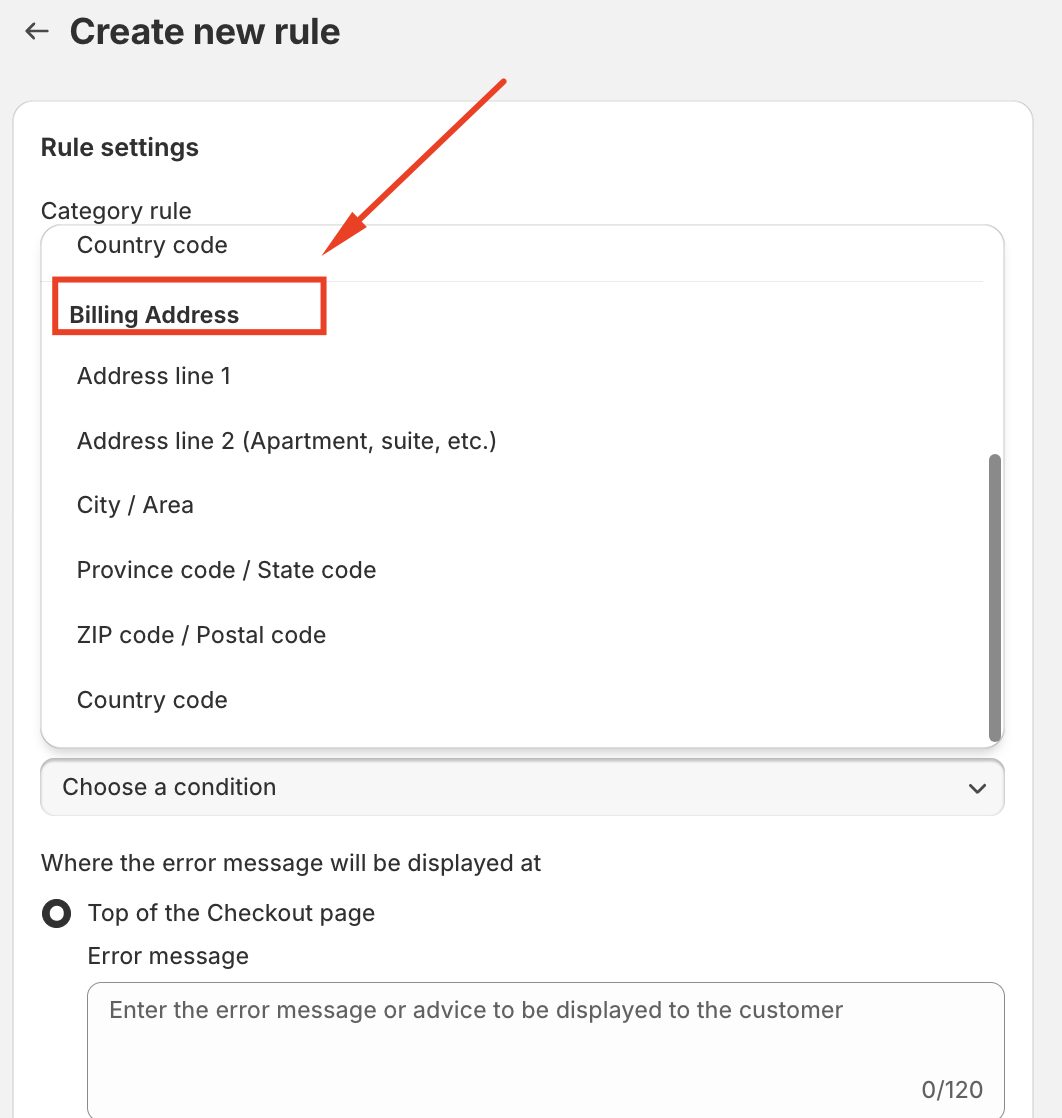
3. Set the Validation Conditions
After selecting the Billing Address category, you can define specific conditions under which the rule will trigger. These conditions ensure that the billing information entered by the customer is correct and matches the payment provider’s records.
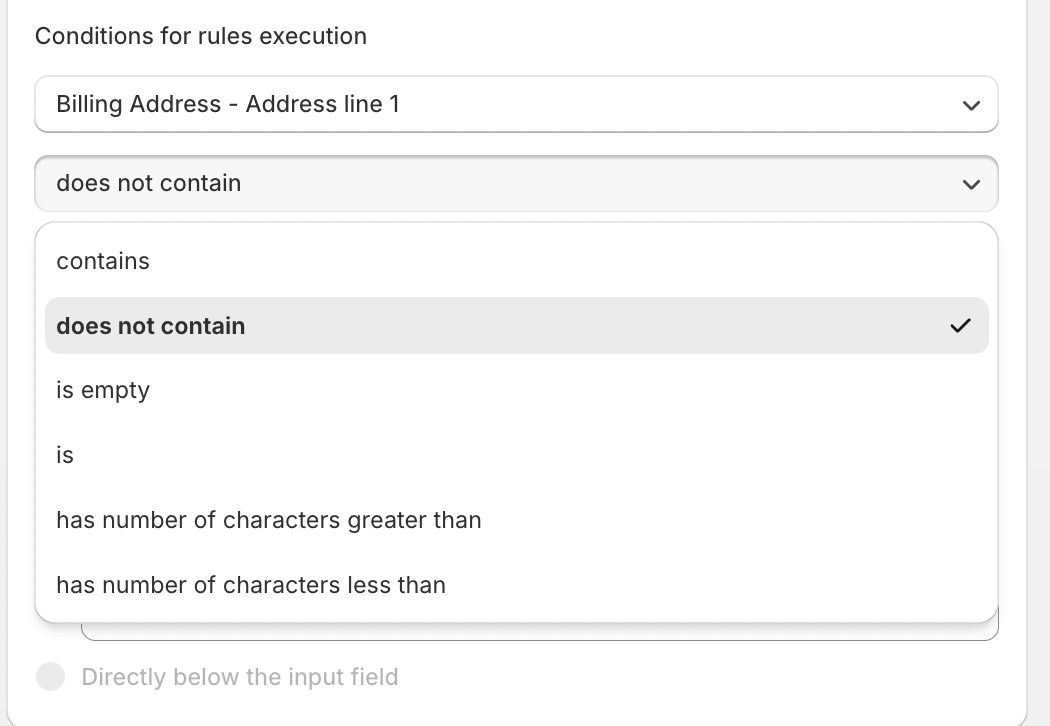
4. Customize the Error Message
When a customer’s billing address doesn’t match the required conditions, it’s essential to inform them with a clear error message. Customize the error message to ensure customers understand why their payment was not processed.
Error Message Field: Here, you can write a message that will be displayed if the billing address fails validation. For example:
"The billing address you entered does not match the one on file with your payment provider. Please check your details and try again."
Error Display Location: Choose where the error message will appear during checkout. You can display it prominently at the top of the checkout page to ensure customers see it and can quickly correct their billing information.
5. Save and Activate the Rule
Once you’re satisfied with the rule and the error message, save it. The billing address validation rule will now be active and applied during the payment stage of checkout.
Should you have any further questions, please feel free to drop an email to support@valider.app
Was this article helpful?
That’s Great!
Thank you for your feedback
Sorry! We couldn't be helpful
Thank you for your feedback
Feedback sent
We appreciate your effort and will try to fix the article