In online stores, the payment process is a critical part of the customer experience. Organizing payment options in a clear and consistent way can reduce confusion and improve user satisfaction. The Reorder Payment Methods Alphabetically rule ensures that all available payment methods are displayed in a standardized, easy-to-navigate alphabetical order, streamlining the checkout process for your customers.
Why Alphabetically Ordered Payment Methods Matter
Having a consistent order for payment options offers several benefits:
Improved User Experience: When payment methods are organized alphabetically, customers can find their preferred option quickly, especially when there are many choices available.
Enhanced Organization: Alphabetical ordering eliminates confusion that may arise when payment methods are presented in a random or non-standard order, ensuring a cleaner, more professional look for your store.
Consistency Across Devices: Whether customers are shopping on a desktop or mobile device, alphabetically ordered payment methods provide a consistent and intuitive experience across platforms.
How Reordering Payment Methods Alphabetically Works
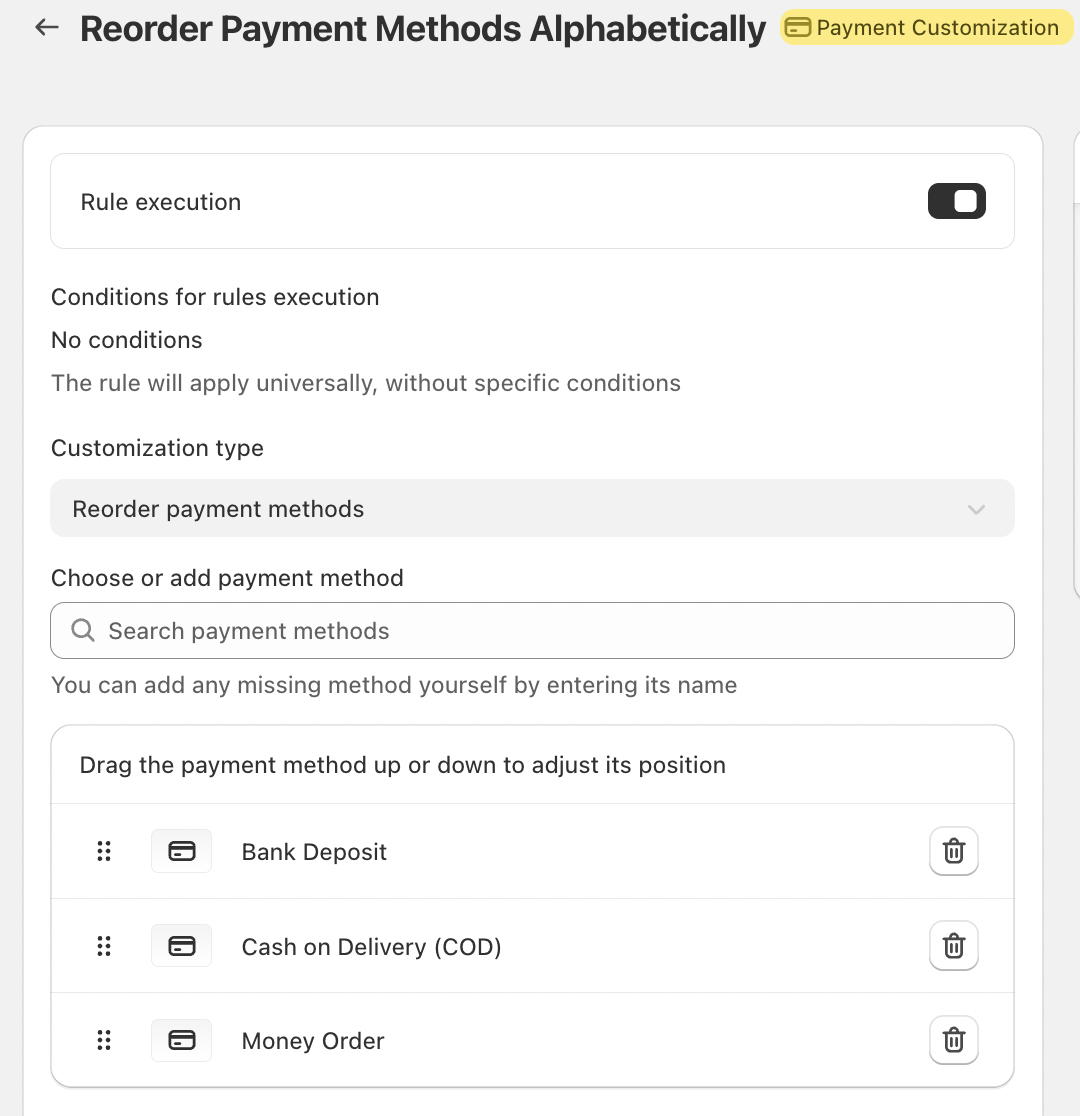
The Reorder Payment Methods Alphabetically rule is simple to set up and ensures that payment methods are always presented in a consistent order. Here’s how it works:
Enable the Rule: This rule applies universally without needing any specific conditions. Once enabled, it will automatically reorder all your payment methods alphabetically every time the customer reaches the checkout page.
Reorder Options: You can customize the order of payment methods by dragging them up or down in the list. However, if there are certain payment methods like iDeal or Shop Pay (which are logo-based) or the Credit Card option (for stores in the US and Canada), these cannot be reordered unless specific conditions are met.
Automatic Sorting: Once enabled, all payment methods will be automatically sorted alphabetically. This ensures that as new payment methods are added or existing ones are removed, the list remains organized without requiring manual updates.
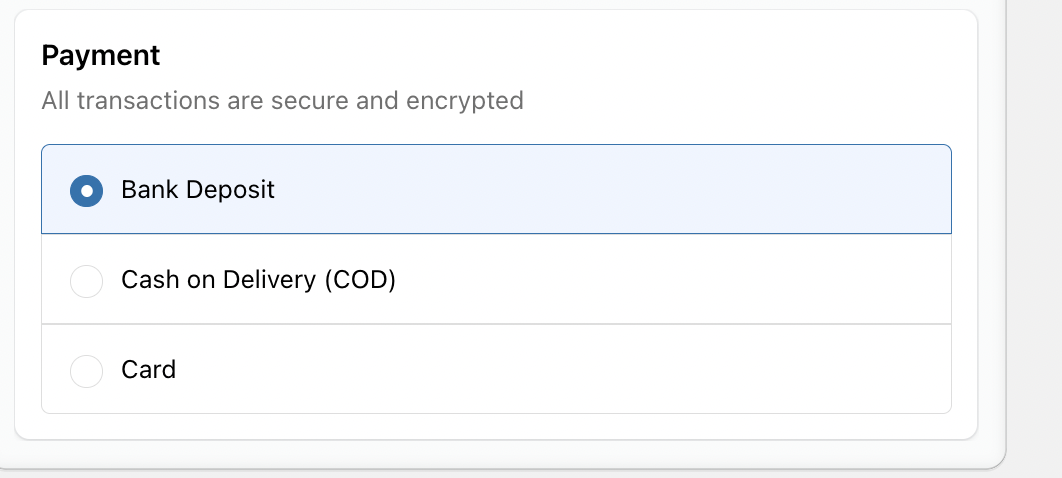
Limitations
While this rule is beneficial for most online stores, there are a few limitations to keep in mind:
Shop Pay Compatibility: Payment customizations like reordering aren't compatible with Shop Pay when using the mobile app. This means that on mobile, Shop Pay will still appear in its default position.
Logo-Based Payment Methods: For stores that use logo-based payment methods (such as iDeal or Shop Pay), these cannot be moved freely within the payment list. However, you can still adjust the order of other methods around them.
Credit Card Options (US/Canada): For stores based in the US or Canada, the Credit Card option cannot be reordered unless you're on Shopify Plus. This limitation is set by Shopify and cannot be altered through the usual customization methods.
Key Features
Universal Application: Once enabled, the rule applies universally across your store, so there’s no need to apply it to individual transactions or pages.
Customizable Payment Methods: You can manually add or adjust payment methods by entering their name or dragging existing options into the desired position.
Clear & Organized Checkout: With payment methods presented alphabetically, your checkout page will have a clean, organized look, reducing friction for customers and leading to smoother transactions.
Conclusion
The Reorder Payment Methods Alphabetically rule is an easy yet effective way to enhance the customer experience on your online store. By keeping payment options organized, customers can quickly find their preferred method, improving the speed and ease of their checkout process.
While there are some limitations related to logo-based payment methods and certain regions (such as Shopify Plus for Credit Cards), the benefits of this feature outweigh these constraints, making it a valuable tool for most stores.
If you have any questions or need further assistance, feel free to reach out to support@valider.app
Was this article helpful?
That’s Great!
Thank you for your feedback
Sorry! We couldn't be helpful
Thank you for your feedback
Feedback sent
We appreciate your effort and will try to fix the article